
Professional services recruitment software for accounting, consulting and law firms
Firms sell their people's judgement, so every hire is assessed carefully, and partners' time is the scarcest thing in the process. OneATS is professional services recruitment software that respects both. Send case studies or technical tasks, let partners interview and score from an email link without a paid seat, compare structured scorecards in one debrief, and track lateral offers through salary proof, negotiation and approval. Graduate intakes and lateral hires run in the same account.
Free plan for 1 user · Partners and interviewers free on paid plans
Sound familiar?
What slows down professional services hiring?
Partners have no time to schedule
A lateral hire waits two weeks because three partners can't find a common slot.
Feedback is inconsistent
One partner writes a paragraph, another writes "good", and the decision stalls.
Laterals take counter-offers
The offer is accepted, then the current firm matches it during the notice period.
Assessment
Case studies and technical tasks before the interview
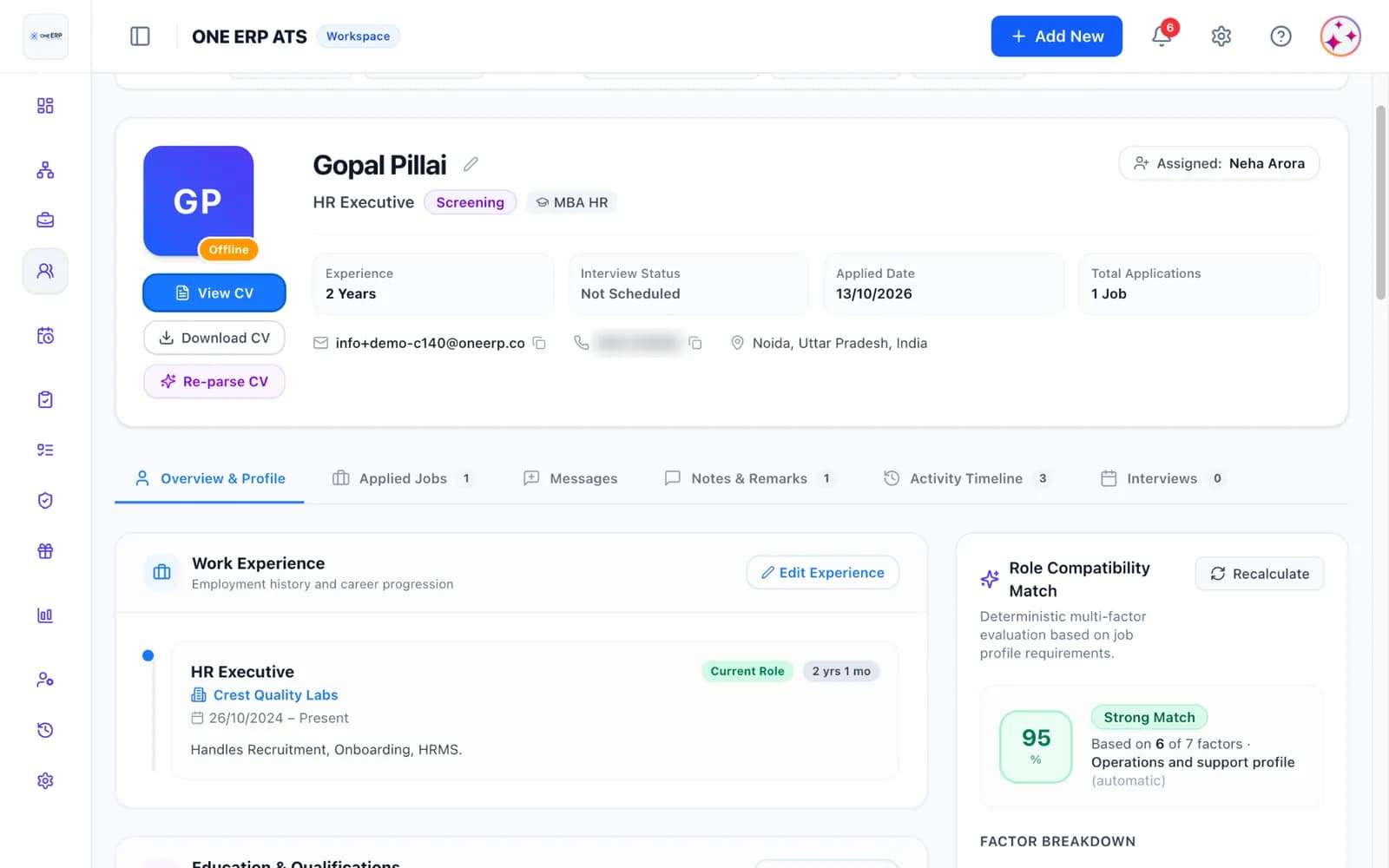
On Business, send take-home assignments such as a case study, a drafting exercise or an accounts test, so interviews start from real work. Ask screening questions on the form too, for example "Have you cleared CA Intermediate?", "Which areas of law do you practise?" or "Are you open to travelling to client sites?", and mark the must-haves as knockout questions. A rule-based match score ranks applicants against the role's skills and experience.
- Take-home assignments (Business)
- Screening and knockout questions per job
- Rule-based match score with matched and missing skills
- Speed Review to clear a stage at keyboard speed
Partner panels
Partners interview without logging in
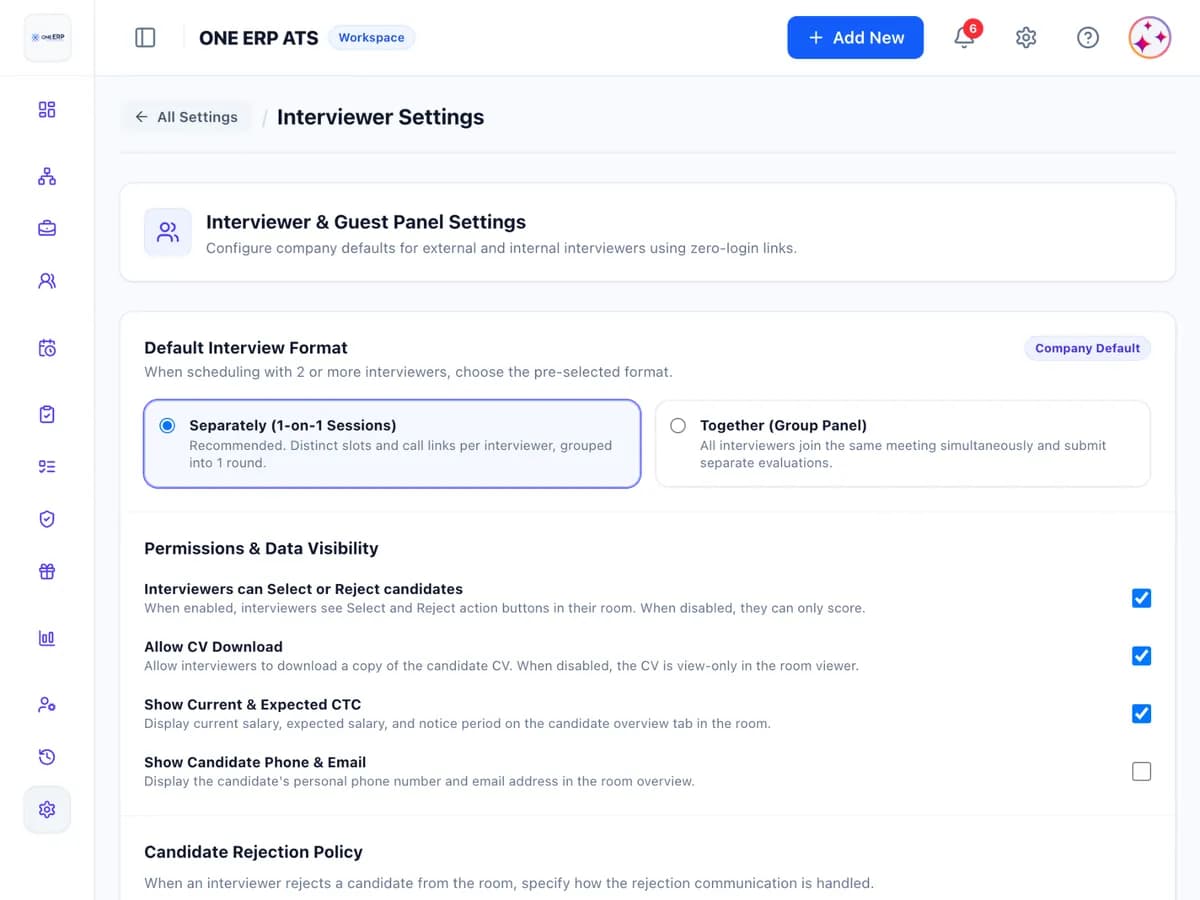
Interviews sync with partners' Google or Microsoft calendars and get a Teams, Meet or Zoom link automatically (Growth and above). Partners who only interview and give feedback are free on paid plans, and partners from another office or an outside expert can join as guest interviewers by email: they open the CV beside their scorecard and submit a recommendation without an account. Rounds can run together in one panel or separately in back-to-back slots.
- Calendar sync and automatic meeting links
- Free interviewer and hiring-manager seats on paid plans
- Guest interviewers with no login or seat
- Together or separate panel rounds
Structured feedback
Scorecards every partner fills in the same way
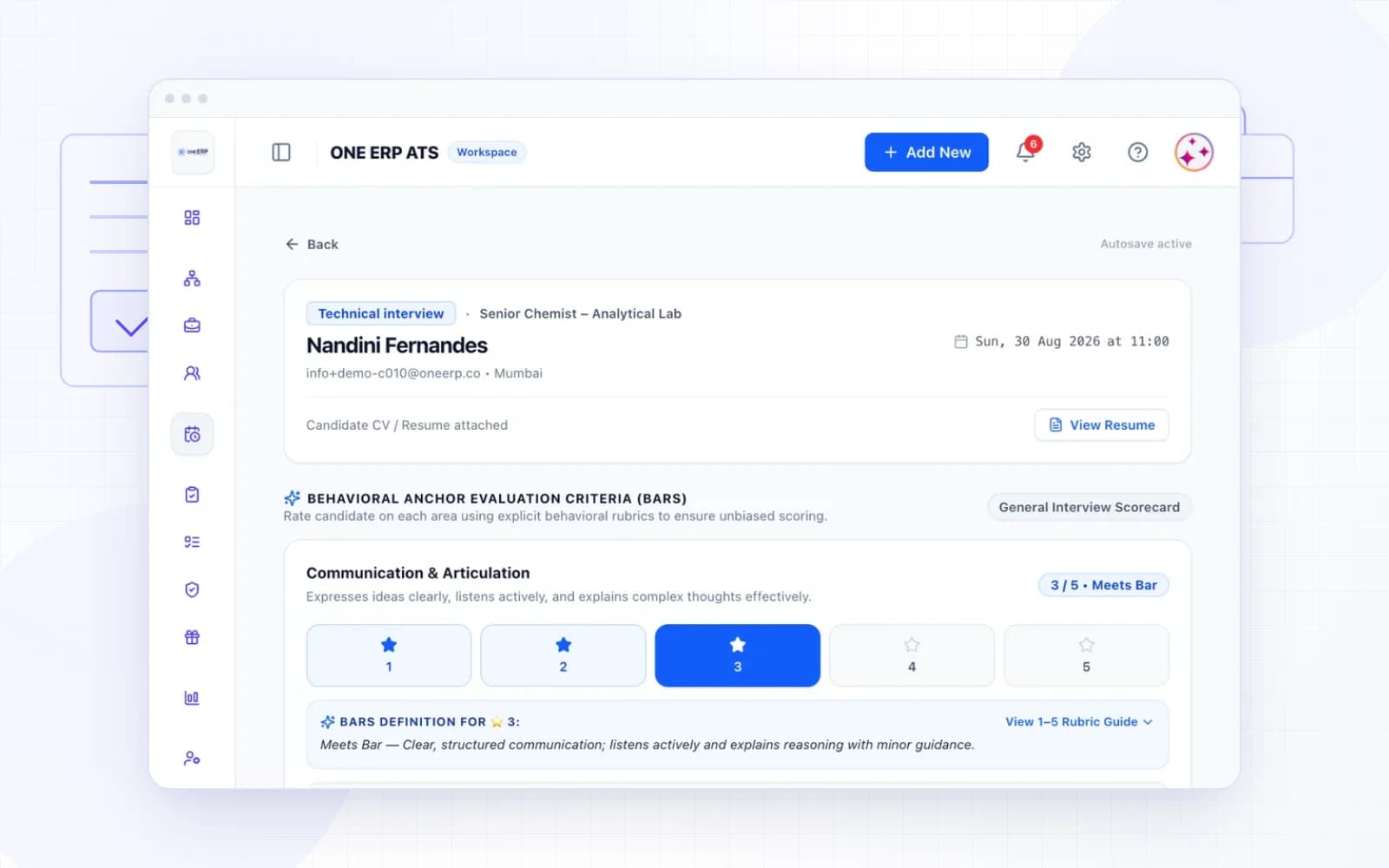
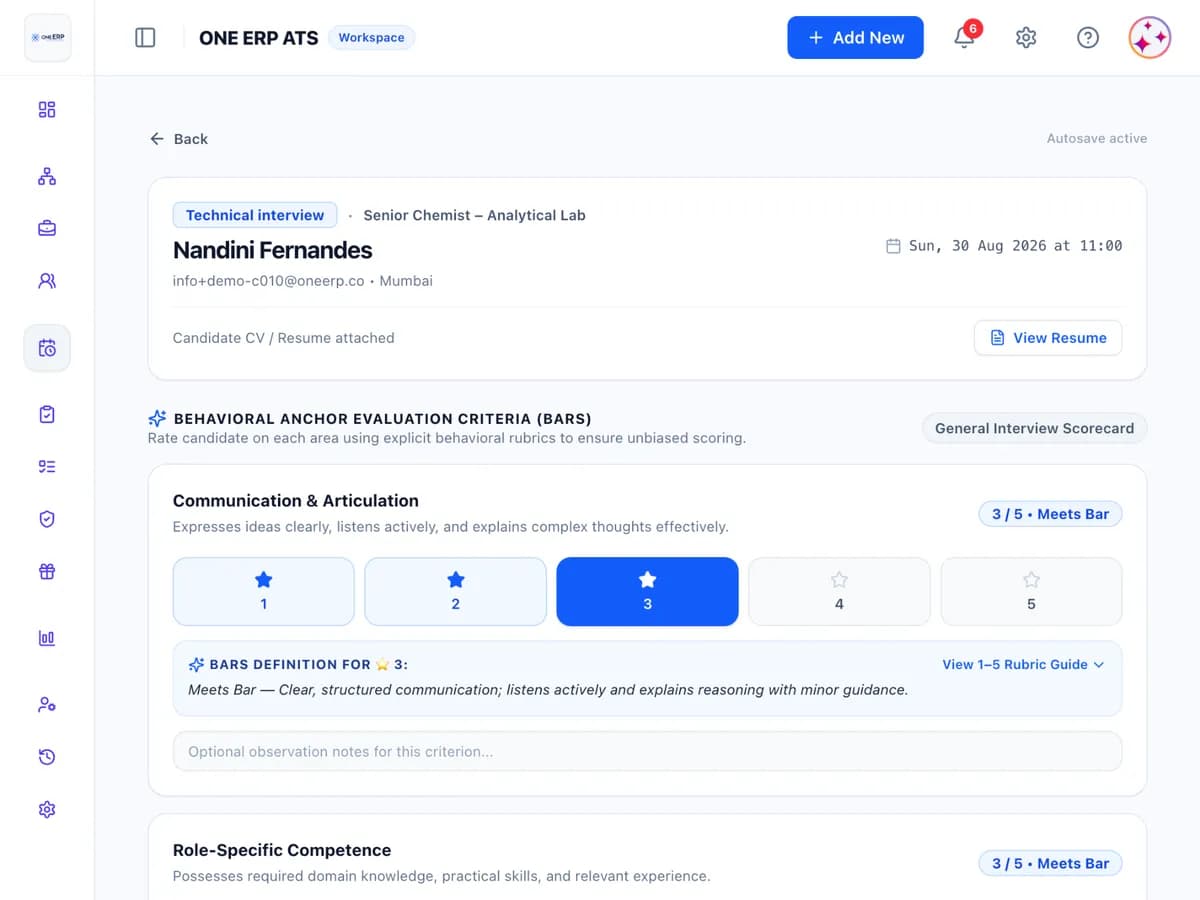
Start from the general, engineering or leadership template, or write your own criteria, such as technical knowledge, client communication and judgement, each rated 1–5 with every level described. Ratings stay hidden until every panelist has submitted, so nobody anchors on the senior partner's view. The debrief shows the average, lowest and highest rating for each criterion and flags where panelists differ by 2 or more points.
- Your own criteria with described 1–5 ratings
- A different scorecard for each round
- Ratings hidden until everyone submits
- Divergence flag and the final decision with its reason on record
Lateral offers
Lateral offers that survive the notice period
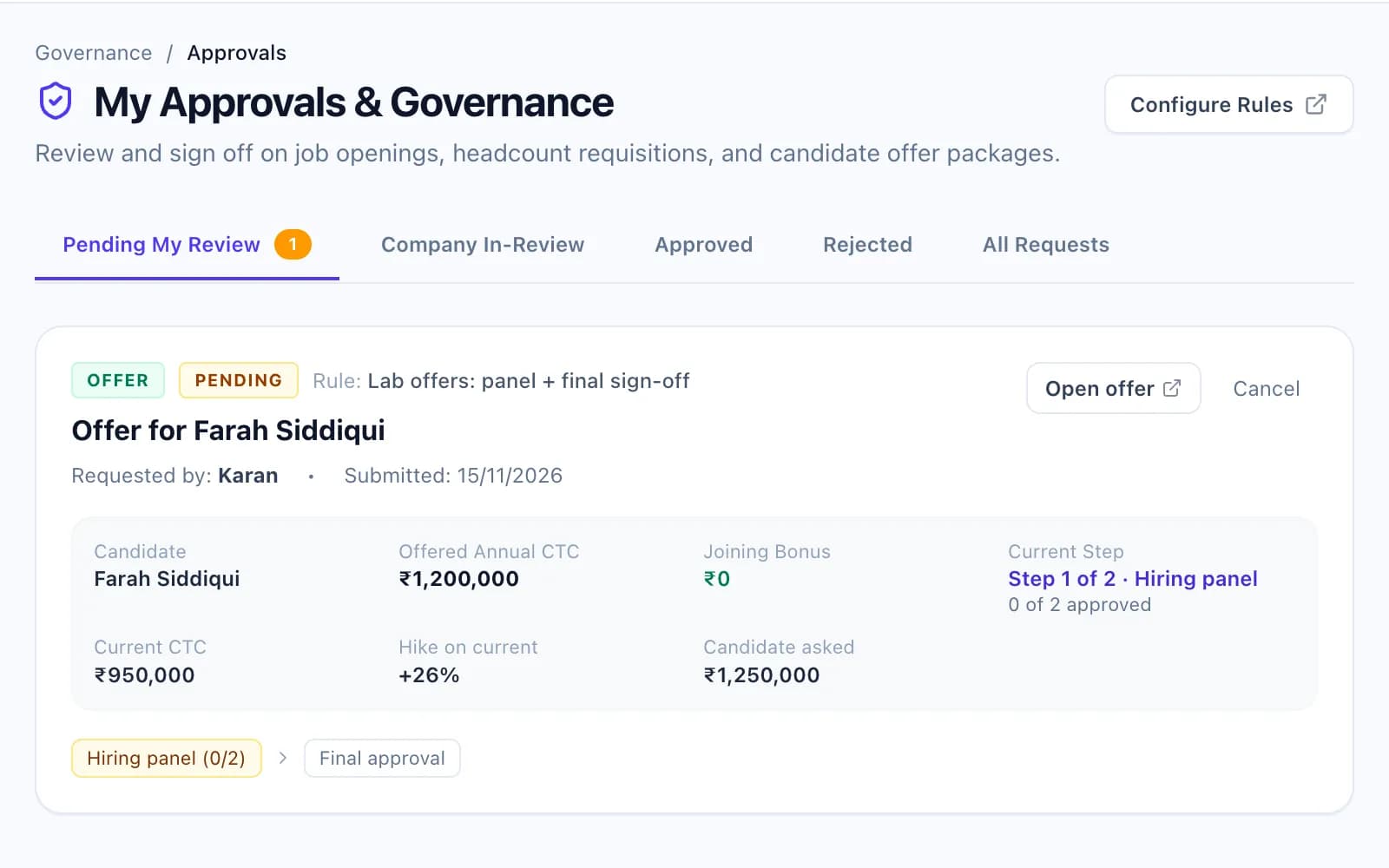
Before the offer, ask for salary slips, the current salary breakup and, for senior hires, bonus letters or a competing offer, and approve each document. Log every negotiation round with the hike %. Offers above the role's salary band go to a partner or the managing partner for approval first (Business, or Growth with the onboarding add-on), and the candidate signs online. If they decline, the reason is recorded, so you can see why offers are lost.
- Pre-offer document sets for experienced, fresher and senior hires
- Negotiation rounds and hike % on record
- Offer approval above the salary band, from email
- Decline reasons you can report on
Confidentiality
Candidate data kept to the people who need it
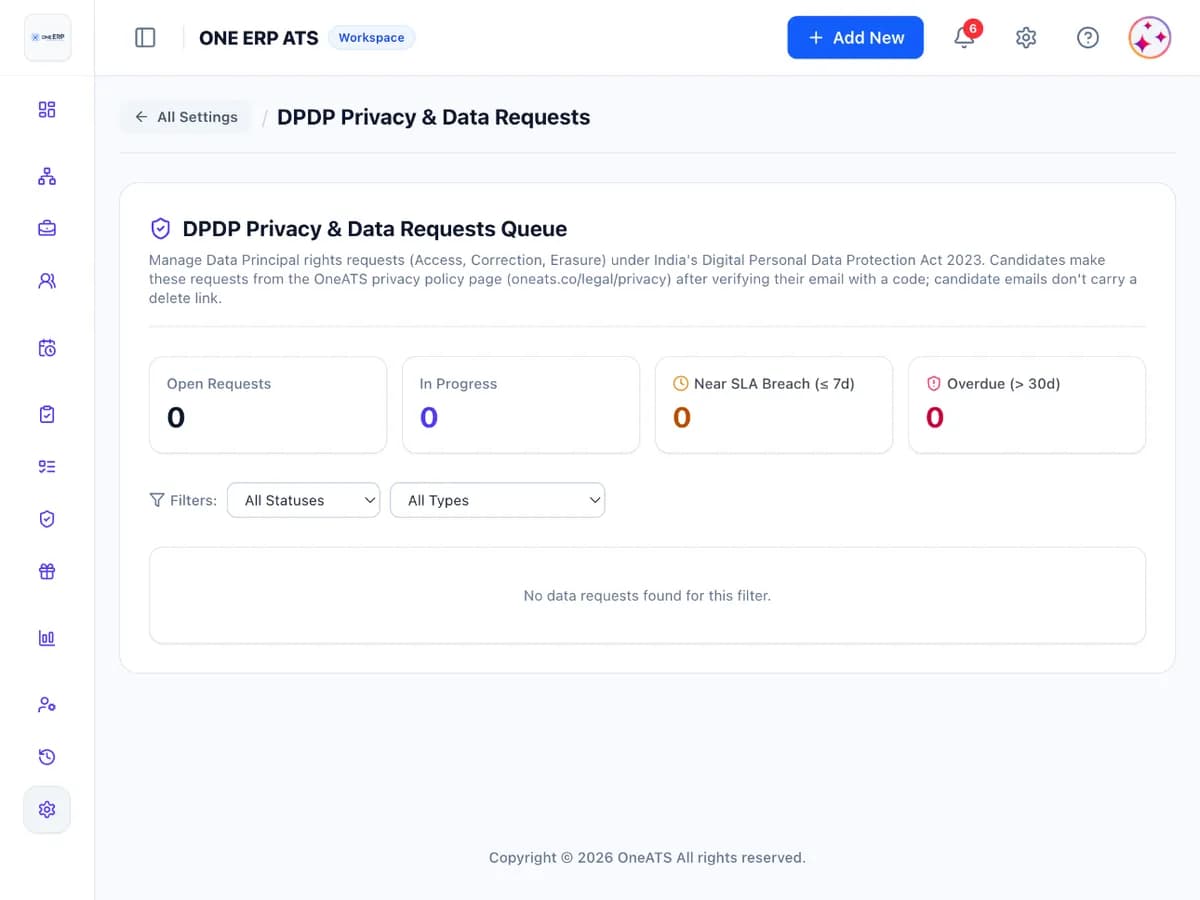
Recruiters see only the jobs they're assigned to, and hiring managers see only their own jobs. Guest interviewers see one candidate, through an expiring link, and never other candidates or jobs. Internal notes never appear in emails to candidates, and candidates never see their match score. On Business, the audit log records sensitive actions such as data exports, and candidates can ask to see, correct or delete their data under the DPDP Act or GDPR.
- Role-based access for recruiters and hiring managers
- Guest access scoped to one candidate, with expiring links
- Audit log of exports (Business)
- DPDP and GDPR data requests with due dates
What should an ATS for accounting and consulting firms do?
An ATS for accounting and consulting firms should test real skills before interviews, get partners interviewing and scoring without extra licences, make feedback comparable across a panel, and track lateral offers through to joining. It also needs to keep candidate data confidential. OneATS does each of these, for graduate intakes and lateral hires alike.
| What firm hiring needs | Why it matters | In OneATS |
|---|---|---|
| Skills assessment | CVs look alike at graduate level | Take-home assignments (Business); knockout questions |
| Partner time | Partners are the bottleneck | Calendar sync, auto meeting links, free interviewer seats, guest interviewers |
| Comparable feedback | Decisions stall on vague notes | Described 1–5 scorecards; hidden until all submit; divergence flag |
| Lateral offers | Counter-offers during notice | Pre-offer documents, negotiation log, approvals, decline reasons |
| Confidentiality | Candidates are often still employed by a rival firm | Role-based access; scoped guest links; audit log |
| Graduate intake | Batches in fixed cycles | Bulk CV upload; tracked links per college; fresher document set |
Graduate intakes and CA article assistants
For graduate and articleship intakes, upload CVs from colleges in bulk, share a tracked apply link per college, and run group rounds with the same scorecard. For candidates with no work experience, OneATS pre-selects a fresher document set (marksheet or degree certificate, internship certificate, photo ID) before the offer.
See Campus hiring.
Law firms and legal teams
Law firms use the same workflow: drafting exercises as take-home assignments, partner panels as guest interviewers, and structured scorecards for associates. OneATS doesn't run conflict checks or connect to practice-management systems; it handles the hiring process and hands joiners to HR by CSV or a signed webhook.
Workflow
How a firm hires with OneATS
- 1
Approve the role
A partner signs off new headcount (requisition approvals, Growth and above).
- 2
Publish
Careers page, Google for Jobs, LinkedIn and Indeed, assisted Naukri, referral links.
- 3
Assess
Screening questions and a take-home task before any interview.
- 4
Partner panels
Self-scheduled rounds; partners score on structured scorecards.
- 5
Offer
Salary proof, negotiation log, partner approval and e-signature, then onboarding.
Regional & compliance
Firm hiring in India, the UK and the US
India: DPDP tools, Aadhaar masking at onboarding, INR pricing with GST invoices. Hiring in India
UK: Right-to-work upload at onboarding and UK GDPR support. The firm remains responsible for any regulatory or professional-body checks. UK hiring
US: USD pricing; per-user billing with interviewers free. US hiring
Business
Business adds take-home assignments, full onboarding with offers and documents, recruiter, interview and offer analytics, and the audit log.
- Naukri posting (your Naukri account)
- Full onboarding: documents, letters, IT setup
- Take-home assignments
- Recruiter, interview and offer analytics
Smaller practice? Growth includes calendar sync, self-scheduling, scorecards, panel interviews and the talent pool.
FAQ
Professional services recruitment software FAQs
Do partners need a paid OneATS seat to interview?
No. Interviewers and hiring managers who only interview and give feedback are free on Growth, Business and Enterprise. Partners outside your team can join as guest interviewers by email, without an account.
Can we send a case study or technical test?
Yes, as a take-home assignment on the Business plan. OneATS doesn't run live tests; record the result on the scorecard for that round.
How do we keep a lateral candidate's application confidential?
Recruiters see only their assigned jobs, hiring managers only their own, and guest interviewers only the one candidate they're interviewing, through an expiring link. On Business, data exports are recorded in the audit log.
Can we compare feedback across a partner panel?
Yes. Each panelist rates the same criteria from 1 to 5, ratings stay hidden until everyone has submitted, and the debrief shows average, lowest and highest ratings with a flag where panelists disagree by 2 or more points.
Does OneATS do conflict checks?
No. OneATS handles hiring and onboarding. Run conflict and independence checks in your own systems before the offer.
Can we hire graduates and laterals in the same account?
Yes. Graduate intakes use bulk CV upload, tracked links per college and a fresher document set; laterals use pre-offer salary documents, negotiation tracking and offer approvals.
Related
Related industry
Banking & financial services
Banks, NBFCs, insurers and fintech
Explore Banking & financial servicesRelated solution
Hiring managers
Give hiring managers a free OneATS seat: feedback and approvals from a link, a morning list of what needs them, and only their own jobs in view.
See hiring managersGive your partners their time back
Assess real work first, let partners score from a link, and track every lateral offer to joining day.
Last updated · Maintained by the OneATS product team