
IT recruitment software for engineering and tech teams
Tech hiring moves on three things: skills, speed and the offer. OneATS is IT recruitment software that ranks applicants on the skills each job needs, runs panel interviews with real Teams, Meet or Zoom links, and lets engineers score candidates without a paid seat. Notice periods, current and expected CTC are parsed from CVs and shown as columns. When the offer goes out, salary proof, negotiation rounds and approvals are tracked in one place, so you see a drop-off coming before joining day.
Free plan for 1 user · Interviewers free on paid plans · Hosted in India
Sound familiar?
What slows down it & technology hiring?
Hundreds of CVs, few real matches
Keyword-stuffed resumes bury the engineers who actually have the skills.
Engineers are busy interviewers
Panels slip because interviewers forget, don't log in, or don't write feedback.
Offers accepted, joiners lost
Long notice periods and counter-offers mean a signed offer is not a hire.
Screening
How do tech companies screen developers faster?
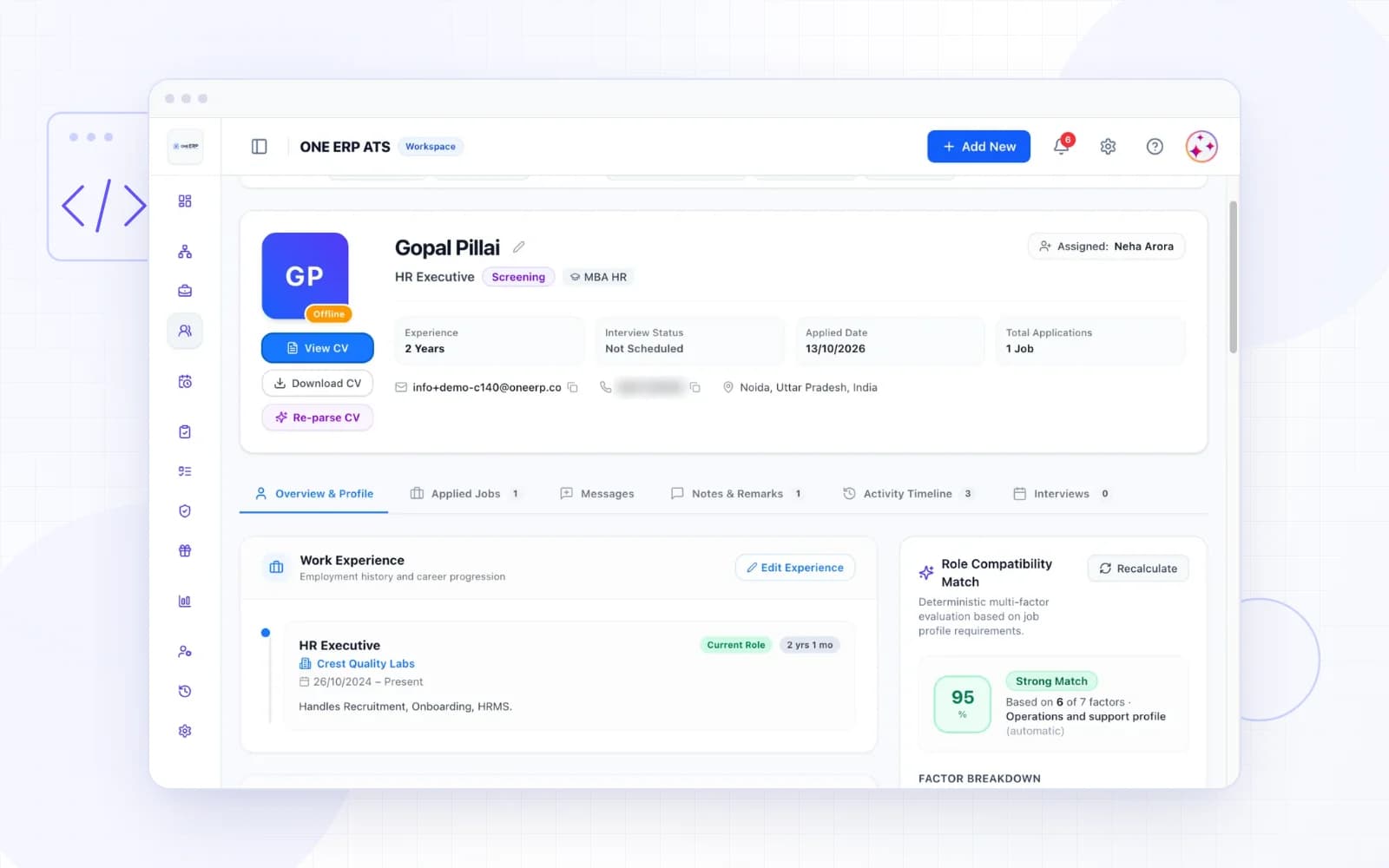
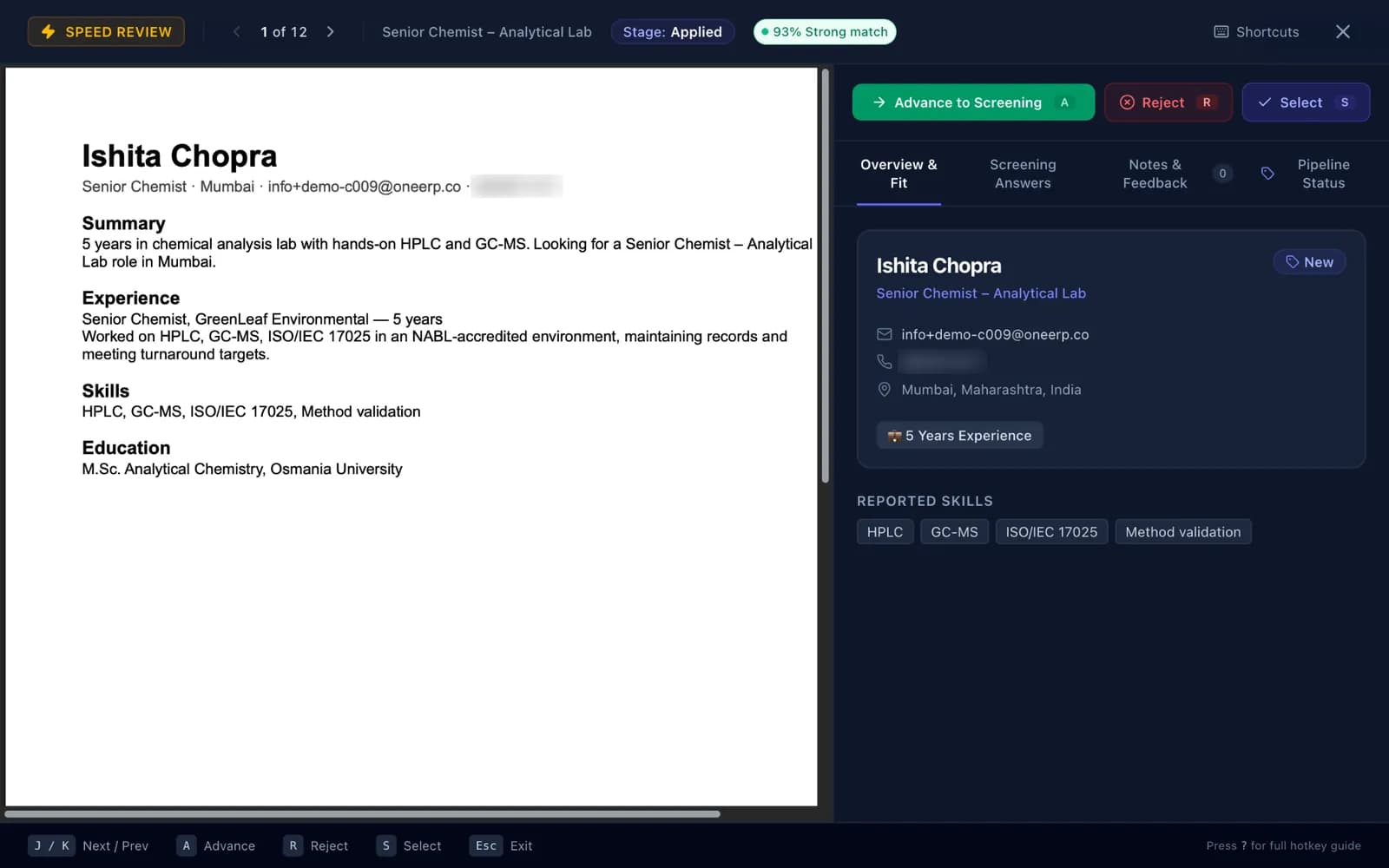
Every applicant gets a match score from 0 to 100% against the skills, experience and requirements of the job. It's rule-based, not AI: open the breakdown to see which skills matched and which are missing, and change the weights per job. Recruiters then work through a stage in Speed Review, with the CV and score side by side and one key to advance (A), reject with a reason (R) or select (S).
- Matched and missing skills shown for every applicant
- Your own weights per job; re-score everyone after a change
- Speed Review keyboard shortcuts
- Knockout questions, for example "Are you open to working from our Pune office?"
Sourcing
Search your past applicants before you post again
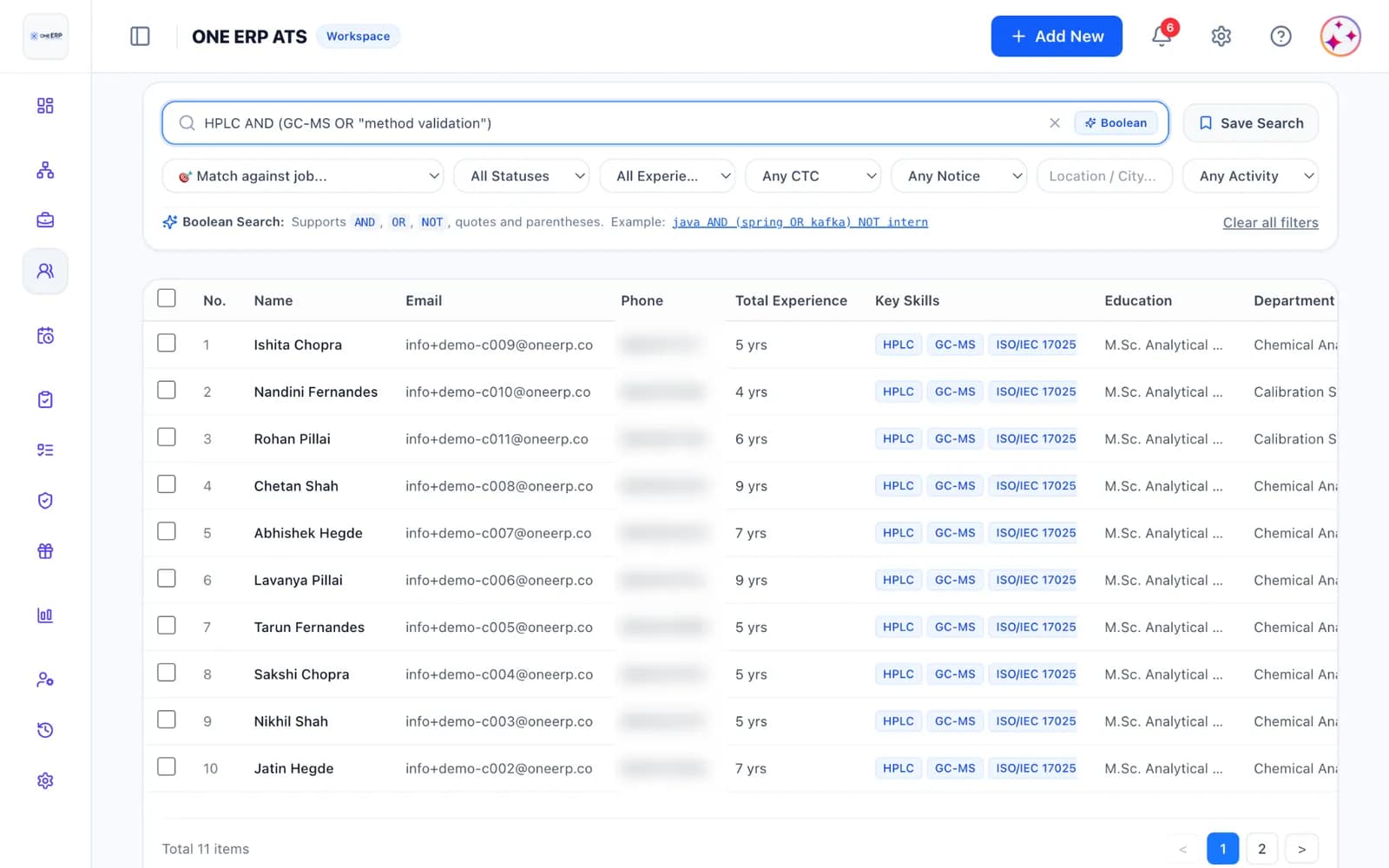
Every CV you have ever received is searchable in full text, with Boolean queries such as React AND (Node OR Python). Save the searches you run often, tag silver-medal candidates from earlier roles, and move a past applicant into a new job in one click. New jobs still go to LinkedIn and Indeed by feed, your careers page and Google for Jobs, with assisted Naukri posting and tracked referral links for your engineers.
- Boolean search across parsed CV text
- Saved searches and silver-medalist tags
- LinkedIn and Indeed feeds, assisted Naukri posting
- Employee referral links with bonus tracking
Technical interviews
Take-home tasks and panels that run themselves
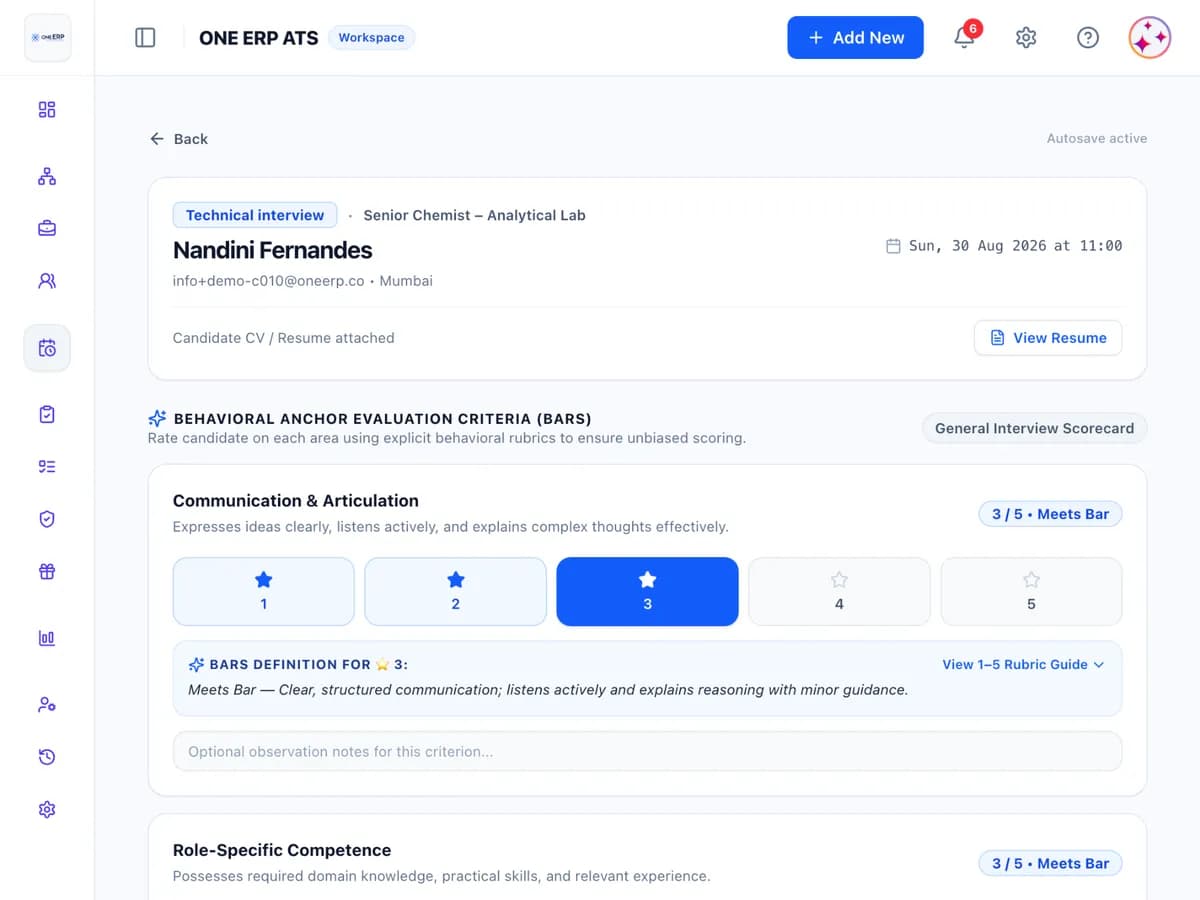
Send take-home assignments on Business, then book technical rounds against your engineers' real Google or Microsoft calendars. OneATS creates the Teams, Meet or Zoom link and sends reminders. Add an architect from another team or an outside evaluator as a guest interviewer: they open the CV beside their scorecard and submit without an account. Start from the engineering scorecard template, rate each skill 1–5 with every level described, and keep ratings hidden until the whole panel has submitted.
- Take-home assignments (Business)
- Google and Microsoft 365 calendar sync; Teams, Meet and Zoom links
- Guest interviewers with no login or seat (Growth and above)
- Engineering scorecard template; divergence flag when ratings differ by 2+ points
Notice period & CTC
See notice period and CTC before you shortlist
OneATS reads notice period, current CTC and expected CTC from a CV when they're stated, and you can ask for them on the application form. Show them as columns in the candidate list next to current employer, designation and total experience, and filter by them. Your team stops calling candidates whose 90-day notice or salary ask doesn't fit the role.
- Notice period, current CTC and expected CTC parsed when stated
- Choose the columns in the candidate list
- Ask for them as standard application fields
- Filter and export by them
Offers
Offers that survive the notice period
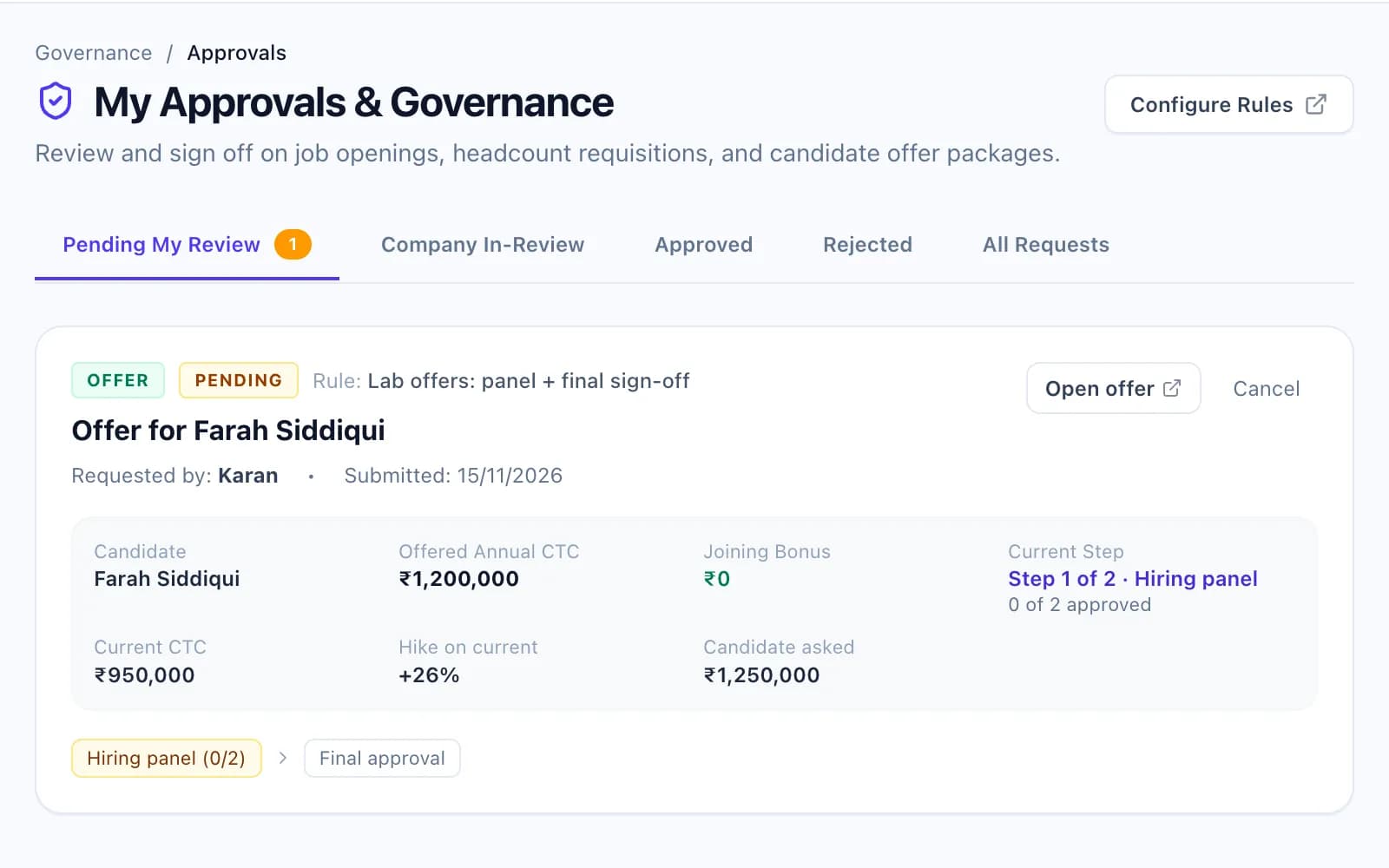
Before the offer, ask for salary slips, the current CTC breakup and, for senior hires, a competing offer letter, and verify each document. Log every negotiation round with the hike %. If the offer is above the job's salary band, it goes for approval first, and approvers see CTC, hike % and the negotiation log. The candidate signs online, and if they decline, the reason is recorded so you can report on why offers are lost.
- Pre-offer document sets for experienced, fresher and senior hires
- Negotiation rounds and hike % on the record
- Offer approval above the salary band (Business, or Growth with the onboarding add-on)
- Sent → viewed → accepted or declined, with decline reasons
What is the best ATS for IT companies?
The best ATS for an IT company ranks applicants on real skills, gets busy engineers to interview and give feedback, and tracks notice periods, CTC and offers so selected candidates actually join. It should also post to LinkedIn and Naukri and price per recruiter, not per interviewer. OneATS does all of this, with interviewers free on paid plans.
| What tech hiring needs | Why it matters | In OneATS |
|---|---|---|
| Skills-based ranking | Hundreds of applicants per developer role | 0–100% match score with matched and missing skills |
| Search past applicants | Last quarter's runner-up may fit today's role | Boolean talent-pool search, saved searches |
| Technical assessment | CVs don't prove coding ability | Take-home assignments (Business); engineering scorecard |
| Engineer interviewers | Panels are the bottleneck | Calendar sync, auto meeting links, free interviewer seats, guest interviewers |
| Notice period and CTC | Decide fit before the first call | Parsed and shown as list columns |
| Offer drop-off | Counter-offers during notice | Pre-offer documents, negotiation log, approvals, decline reasons |
| Hiring channels | LinkedIn, Naukri, referrals | LinkedIn/Indeed feeds, assisted Naukri, referral links |
Hiring for a global capability centre (GCC)
GCC teams in India hire for a parent company abroad, so panels include managers in other time zones, offers need sign-off, and data rules span India and the parent's country. OneATS handles global panels with guest interviewers and calendar sync, multi-currency offers, approval chains, GDPR and DPDP tools, and keeps data hosted in India.
See Remote hiring and Hiring approvals.
- Guest interviewers from the parent company, no seat needed
- Rounds held together or in separate slots across time zones
- Offer and requisition approvals with named approvers
- Data hosted in India; DPA and sub-processors published
Hiring freshers and campus batches for tech roles
For graduate hiring, OneATS takes bulk CV uploads from campuses, shares one tracked apply link per college or drive, and pre-selects a fresher document set (marksheet, internship certificate, photo ID) before the offer. Scorecards keep large panels consistent across colleges.
See our Campus hiring workflow.
IT staffing and consulting firms
If you place engineers with clients, use a OneATS agency workspace: client mandates, candidate ownership, branded CV submissions, client review links, placements and GST invoices. See ATS for staffing agencies or compare OneATS with Ceipal.
Workflow
How a tech team hires with OneATS
- 1
Approve and publish
The requisition is approved, then the job goes to LinkedIn, Indeed, your careers page, Google for Jobs and (assisted) Naukri.
- 2
Rank and screen
Applicants arrive with a match score; recruiters clear the stage in Speed Review.
- 3
Test and interview
Send a take-home, then book technical and manager rounds with automatic meeting links.
- 4
Decide together
Scorecards unlock together; the debrief shows where interviewers agree and disagree.
- 5
Offer and join
Verify salary proof, log negotiation, approve, e-sign, then track the notice period to joining day.
Regional & compliance
Tech hiring across India, the US, UK and Singapore
India: DPDP tools (consent, data requests, retention, erasure); Aadhaar masking at onboarding; INR pricing with GST invoices. Hiring in India
US, UK, Singapore: USD pricing; UK GDPR and EU GDPR support through encryption, audit logs and retention controls; right-to-work document upload at onboarding (UK). Singapore hiring
Data: Hosted in India (AWS Mumbai). ID documents encrypted twice. Security
Business
Business adds take-home assignments, assisted Naukri posting, recruiter, interview and offer analytics, scheduled reports, the API key and XML feed, and the audit log.
- Naukri posting (your Naukri account)
- Full onboarding: documents, letters, IT setup
- Take-home assignments
- Recruiter, interview and offer analytics
Early-stage startup? Growth includes calendar sync, self-scheduling, scorecards, panel interviews and the talent pool.
FAQ
IT recruitment software FAQs
Does OneATS use AI to rank developers?
No. The match score is rule-based: it compares each applicant's skills, experience and answers with the job's requirements, and the breakdown always adds up to the score. You can see why a candidate scored what they did, and the score never rejects anyone on its own.
Can we send coding tests?
OneATS sends take-home assignments on the Business plan. It doesn't run live coding environments; use your usual tool for that and record the result in the scorecard.
Do engineers who interview need a paid seat?
No. Interviewers and hiring managers who only interview and give feedback are free on Growth, Business and Enterprise. Outside evaluators can join as guest interviewers by email, with no account.
Can we track notice periods and counter-offers?
Yes. Notice period and current and expected CTC are parsed from CVs when stated and can be asked on the form. At offer stage you can log each negotiation round with the hike %, request a competing offer letter for senior hires, and record why a candidate declined.
Can we post jobs on Naukri and LinkedIn from OneATS?
LinkedIn and Indeed receive your jobs through an XML feed, and they decide when to list them. Naukri uses assisted posting from your own Naukri employer account: OneATS prepares the job and a tracked apply link, and applicants are credited to Naukri.
Is it suitable for a GCC with a parent company abroad?
Yes, for the hiring workflow: global guest interviewers, multi-currency offers, approvals and GDPR and DPDP tools. Data is hosted in India. Talk to us about Enterprise for unlimited users, a named customer success manager and custom contracts.
Related
Related industry
BPO & customer support
Batch hiring for contact centres
Explore BPO & customer supportRelated industry
Banking & financial services
Banks, NBFCs, insurers and fintech
Explore Banking & financial servicesRelated solution
Remote hiring
Remote hiring software for distributed teams: remote job listings, video interviews with real meeting links, self-scheduling in any time zone and online offers.
See remote hiringHire engineers who actually join
Rank applicants on skills, run panels without extra seats, and track every offer to joining day.
Last updated · Maintained by the OneATS product team