Manufacturing recruitment software for every plant and shift
Plants hire in two very different ways: operators and technicians in batches, often through walk-ins and WhatsApp, and engineers and managers one careful interview at a time. OneATS is manufacturing recruitment software that handles both. Candidates apply from a phone through a link shared on WhatsApp or printed at the gate, shift and qualification questions do the first screening, plant heads approve new posts from their email, and joiners upload PF, ESIC and ID documents before day one, with Aadhaar numbers masked.
Free plan for 1 user · Plant heads and interviewers free on paid plans
Sound familiar?
What slows down manufacturing hiring?
Walk-ins create paper piles
Registration sheets and printed CVs from a drive take days to type up, and some never get entered.
Shift fit is found too late
A candidate who can't do rotating shifts or lacks the ITI trade is only discovered at interview.
Joining paperwork stalls day one
PF, ESIC, bank and ID documents arrive late, and copies of Aadhaar cards sit in shared folders.
Apply & screen
How do plants screen operators and technicians quickly?
Give each job a Quick apply form that takes contact details and a CV, or a detailed form, and add screening questions such as "Can you work rotating shifts?", "Which ITI trade do you hold?" or "Can you travel to our Chakan plant?". Mark the must-haves as knockout questions. Answers show on every card and count towards the match score, so supervisors only interview candidates who fit.
- Quick apply or detailed form, per job
- Knockout questions for shift, trade and location
- Works in any phone browser, no app or account
- Resume parsing fills in the profile
Walk-in drives
Walk-in drives without the paper
Print the job's apply link on the gate or the drive banner (as a QR code from any QR generator, if you like); candidates open it and apply on their phone in the queue. CVs collected on paper or by email can be uploaded in bulk and parsed, and duplicates are found by email and phone number. Share the drive on WhatsApp with a tracked link, and give staff referral links so you can see which channel and which employee brought each hire.
- One tracked apply link per channel, ready to print or share
- Bulk CV upload and parsing, with duplicate detection
- WhatsApp sharing with tracked links
- Employee referral links with bonus tracking
Plants
One system for every plant
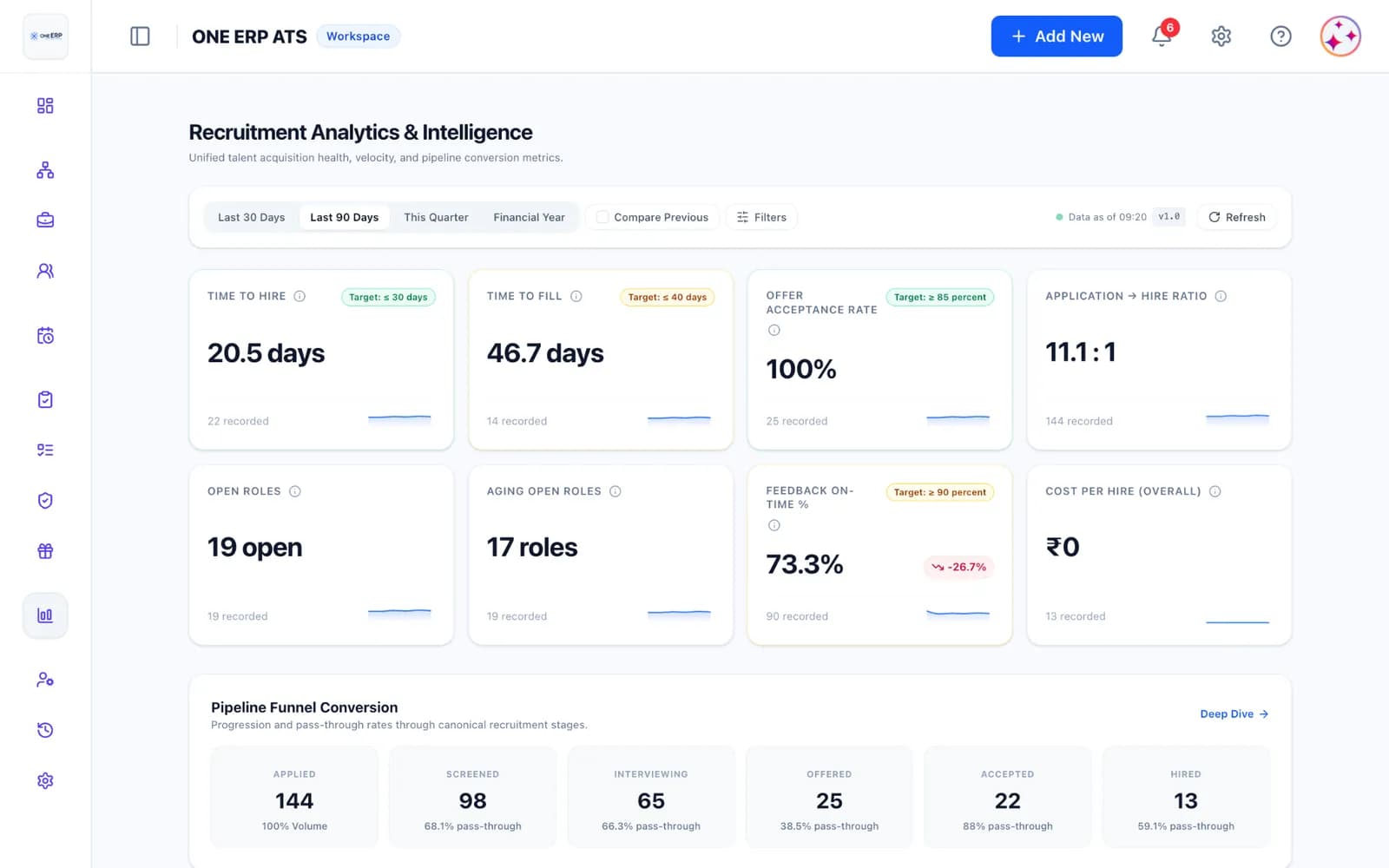
Each job carries its own location, department and hiring panel. Save location groups, for example "Pune plants" covering Chakan, Ranjangaon and Talegaon, and filter applicants by them. Analytics can be filtered by department, job and source, so each plant HR sees its own funnel and group HR sees all of them.
- Location, department and panel per job
- Saved location groups shared with the team
- Recruiters see their assigned jobs; admins see everything
- Funnel, source and time-to-hire reports by department and job
Approvals & interviews
Plant heads approve and interview from their phone
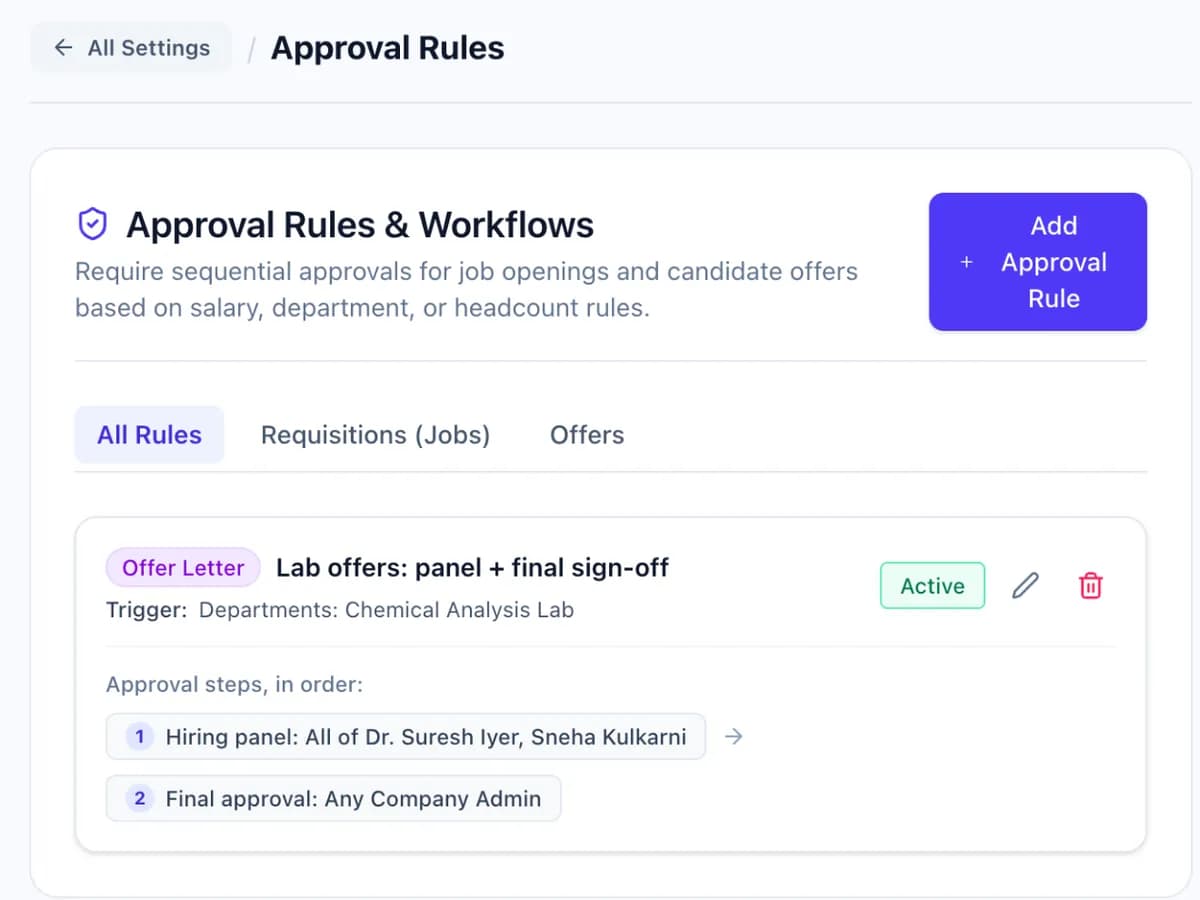
A request for new headcount can go to the plant head and then finance before the job opens. Offers above the job's salary band go for approval before they're sent. Plant heads and shift supervisors who interview join as free hiring managers or as guest interviewers by email, and candidates who opted in get WhatsApp reminders 24 hours, 2 hours and 1 hour before, with one-tap confirm or reschedule.
- Requisition approvals for new headcount (Growth and above)
- Offer approvals above the salary band (Business, or Growth with the onboarding add-on)
- Guest interviewers with no login or seat
- WhatsApp interview reminders for candidates who opted in (Growth and above)
Joining
PF, ESIC and ID documents before day one
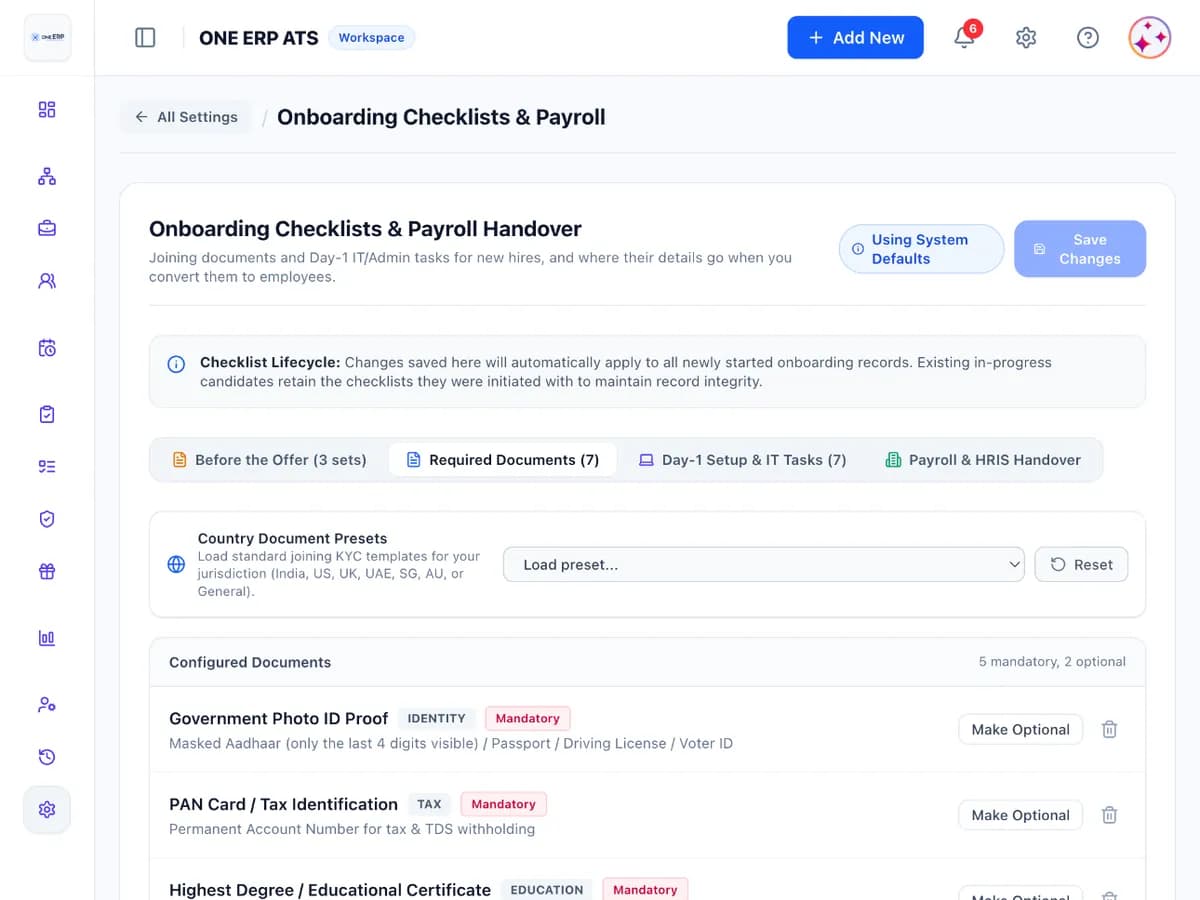
Once the offer is signed, the joiner uploads documents from their phone: PAN, Aadhaar (masked to the last four digits for everyday reviewers), EPFO Form 11, ESIC details, bank proof and certificates. HR verifies each file, missing documents get WhatsApp reminders on day 2 and day 5, and Day-1 tasks such as safety induction and uniform issue go to the right team. When joining is confirmed, the new employee goes to payroll by CSV or a signed webhook.
- Mobile document upload, nothing to install
- Aadhaar masking; ID files encrypted twice
- Day-1 checklists per role or location
- Payroll handover by CSV or signed webhook
What should an ATS for manufacturing do?
An ATS for manufacturing should take applications from a phone, screen for shift, trade and location before interviews, give each plant its own pipeline, route new headcount to the plant head for approval, and collect statutory joining documents securely. OneATS does each of these, for both shop-floor and engineering roles.
| What plant hiring needs | Why it matters | In OneATS |
|---|---|---|
| Phone apply | Shop-floor candidates rarely use laptops | Quick apply in any phone browser; tracked links to print or share |
| Shift and trade screening | Rotating shifts and ITI trades rule people out | Knockout questions per job |
| Walk-in volume | Hundreds of CVs on drive day | Bulk upload, parsing, duplicate detection |
| Multi-plant view | Each plant hires separately | Location per job; saved location groups; filtered reports |
| Headcount control | New posts need plant-head sign-off | Requisition approvals by email |
| Statutory joining | PF, ESIC and ID before payroll | Mobile document portal; Aadhaar masking |
| Speed | Good technicians join the next plant | Stage time limits; 9 am overdue email |
Hiring engineers and managers for the plant
For production, quality, maintenance and supply-chain engineers, the same system runs structured interviews: scorecard templates with described 1–5 ratings, panels held together or separately, pre-offer salary documents and negotiation tracking, and offers e-signed on a phone. Notice period and current CTC are parsed from CVs when stated.
See Scorecards and Offer management.
Recruitment software for manufacturing companies in India
Indian plants hire through walk-ins, WhatsApp, Naukri, ITIs and referrals, and onboard under PF and ESIC rules. OneATS supports assisted Naukri posting, WhatsApp sharing and reminders, referral bonuses in ₹, EPFO Form 11 and ESIC document collection, Aadhaar masking, DPDP tools and GST invoices.
See Hiring in India and our Employee onboarding checklist for India.
Workflow
How a plant hires with OneATS
- 1
Approve the post
The plant head approves new headcount from email.
- 2
Reach candidates
Publish to your careers page and job boards, share on WhatsApp, print the apply link for the gate.
- 3
Screen on the form
Shift, trade and location questions flag who fits.
- 4
Interview
Supervisors interview with reminders sent to candidates; scores go on the record.
- 5
Offer and join
E-sign the offer, collect PF, ESIC and ID documents, assign Day-1 tasks and hand over to payroll.
Regional & compliance
Joining rules for plants
India: Collect EPFO Form 11 and ESIC details through the document portal; Aadhaar is masked for reviewers; consent, retention and data requests under the DPDP Act are built in. OneATS collects and stores these documents; filing with EPFO and ESIC stays with your payroll team.
UAE: Offers in AED, Emirates ID collected at onboarding. UAE hiring
Careers page: Start from the manufacturing careers-page template and add plant photos, shifts, benefits and hiring steps. Careers site
Business
Business includes full onboarding with document collection and Day-1 tasks, custom onboarding checklists, assisted Naukri posting and the audit log.
- Naukri posting (your Naukri account)
- Full onboarding: documents, letters, IT setup
- Take-home assignments
- Recruiter, interview and offer analytics
Single plant starting out? Growth has bulk CV upload, the talent pool, scorecards and self-scheduling; add the onboarding module when you need it.
FAQ
Manufacturing recruitment software FAQs
Can candidates apply at a walk-in drive without filling paper forms?
Yes. Print or share the job's apply link at the venue (you can turn it into a QR code with any generator); candidates open it and apply on their phone. Paper CVs can still be scanned and uploaded in bulk, and OneATS reads scanned and image-only PDFs with OCR.
Can we screen for shift timing and ITI trade?
Yes. Add screening questions to the application form and mark the must-haves as knockout questions. The answers show on each applicant's card and count towards their match score.
Do plant heads need a OneATS licence to approve or interview?
No. Approvers can approve or reject from a link in their email, and hiring managers and interviewers are free on Growth, Business and Enterprise. Guest interviewers invited by email don't need an account at all.
Can we collect PF and ESIC documents?
Yes. Add EPFO Form 11, ESIC details and any other joining documents to the onboarding document list. New hires upload them from their phone, and HR verifies each file.
Does OneATS manage contract labour, attendance or wages?
No. OneATS covers hiring and onboarding. When joining is confirmed, it sends the new employee to your payroll or HR system by CSV or a signed webhook.
Can each plant have its own careers page?
Each company has one careers page, built from ready-made sections, with jobs filterable by location. Plants show up as job locations, and you can add a section for each site.
Related
Related solution
Frontline hiring
Hire hourly, deskless and blue-collar workers faster: mobile apply in one minute, WhatsApp updates, walk-in scheduling and bulk onboarding documents.
See frontline hiringFill your next shift faster
Post once, share on WhatsApp, and collect joining documents on a phone.
Last updated · Maintained by the OneATS product team