
Retail recruitment software for every store
Store candidates apply from a phone and take the first job that calls back, while your store managers are busy on the floor. OneATS is retail recruitment software built for both. Candidates apply in a couple of minutes without an account, pick their own interview slot and get reminders on WhatsApp. Store managers review, interview and give feedback from their email or phone, for free on paid plans. Head office sees every store's pipeline in one place.
Free plan for 1 user · Store managers free on paid plans
Sound familiar?
What slows down retail hiring?
Candidates are gone in days
If no one calls back fast, they join the store across the mall.
Store managers won't log in
Another system with another password means CVs sit unread.
Interview no-shows
Slots are booked, the manager waits, and nobody turns up.
Apply
How quickly can store staff apply?
Each job gets a Quick apply form, contact details and a CV, that works in any phone browser, with no app and no account. Add knockout questions such as "Can you work weekends?" or "Which of our stores can you travel to?". Candidates get an instant receipt and a status link, so they don't need to call the store to ask what's happening.
- Quick apply or detailed form, per job
- Weekend, shift and location knockout questions
- Instant receipt with a no-login status link
- Resume autofill from the CV
Reach
Share store jobs where shoppers and staff already are
Publish each job to your careers page, Google for Jobs, LinkedIn and Indeed, and share it on WhatsApp with a tracked link. Print the apply link on a poster at the till. Give every employee a personal referral link that works on any job; referral bonuses are tracked from the joining date, and a leaderboard shows who brought the most hires.
- WhatsApp sharing with tracked links
- Personal referral links for staff, bonus tracking and a leaderboard (Growth and above)
- Careers page with your store photos and perks
- Source report per channel
Stores
Every store's hiring in one view
Each job has its own store location and hiring manager. Save location groups such as "North Mumbai stores" and filter applicants by them. Store managers see the jobs they're named on; area managers and head office see everything. A 9 am email tells each recruiter which candidates are waiting too long, which interviews are missing feedback and which offers expire soon.
- Store location and hiring manager per job
- Saved location groups for clusters and regions
- Hiring managers see only their own jobs
- Daily digest of overdue candidates and missing feedback
Interviews
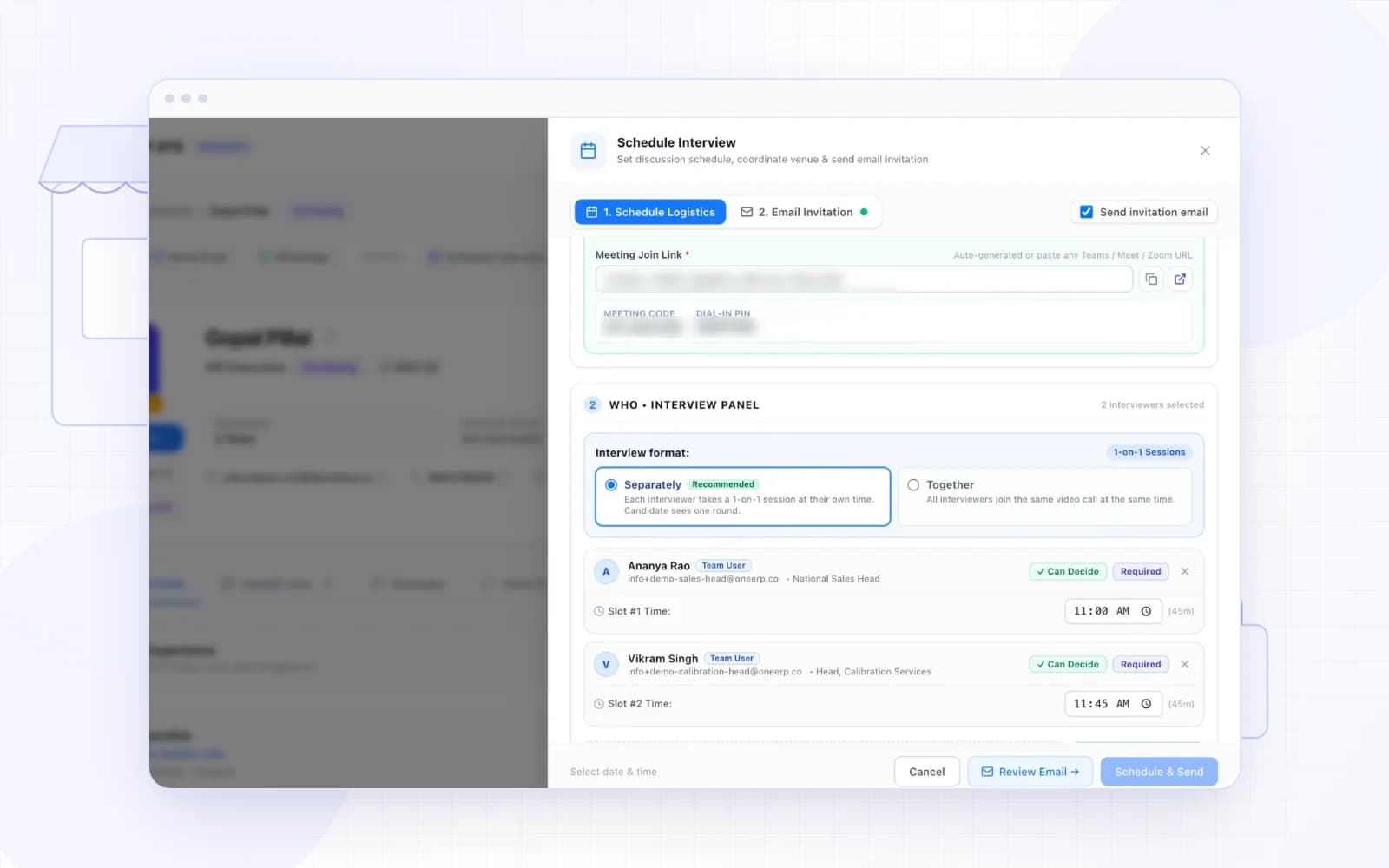
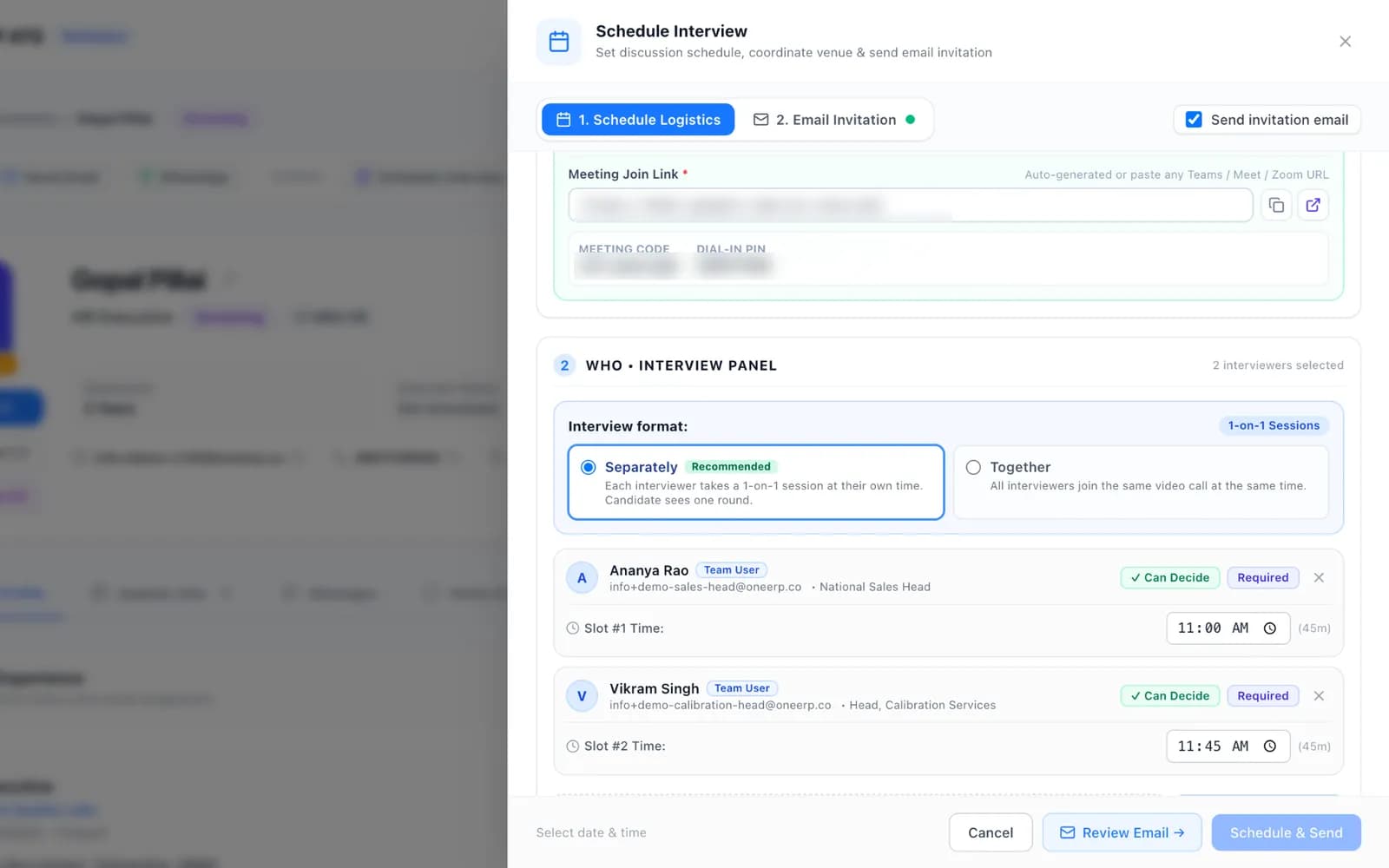
Interviews candidates book and confirm themselves
Send a self-scheduling link and candidates pick a slot that the store manager has free. Candidates who opted in get the invitation and reminders 24 hours, 2 hours and 1 hour before on WhatsApp and can tap "Confirm" or "Need to reschedule". Reminders are held during quiet hours, 9 pm to 8 am. Store managers give feedback on a phone-friendly scorecard.
- Self-scheduling on a phone
- WhatsApp invitation and three reminders (Growth and above, with your WhatsApp Business connection)
- One-tap confirm or reschedule
- No-show rates for opted-in vs not opted-in candidates
Onboarding
From offer to first shift on a phone
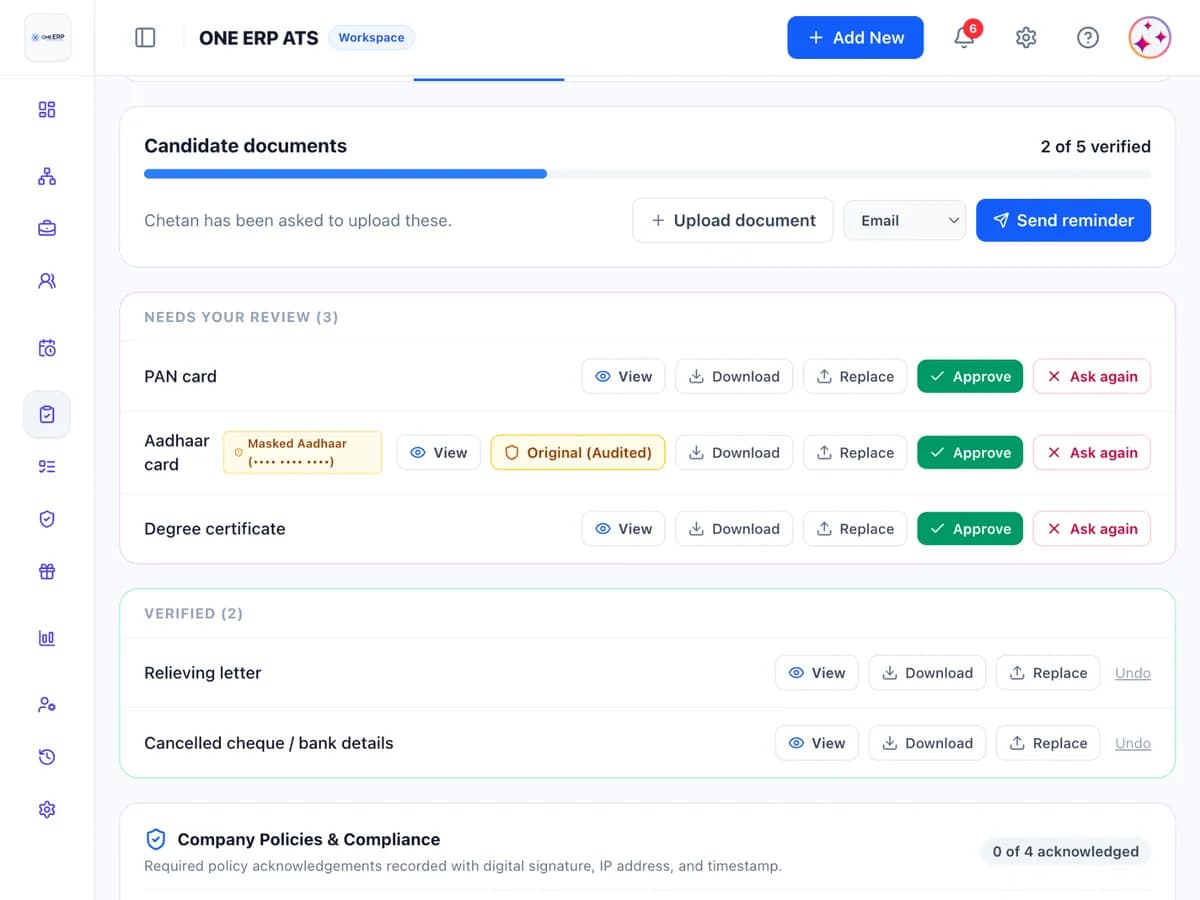
The candidate signs the offer on their phone with a typed or drawn signature and uploads joining documents to a secure portal; Aadhaar numbers are masked to the last four digits. Missing documents get WhatsApp reminders on day 2 and day 5. In the UK, new hires can upload right-to-work evidence and HR records who checked it. New starters go to payroll by CSV or a signed webhook.
- E-signature on a phone
- Mobile document upload, nothing to install
- Document reminders on WhatsApp
- Payroll handover by CSV or signed webhook
What makes a good retail applicant tracking system?
A good retail applicant tracking system lets candidates apply from a phone in minutes, gets store managers reviewing without a new login, books interviews without phone calls, and shows head office every store's pipeline. It should also cut no-shows with reminders and make onboarding work on a phone. OneATS does all of these, priced per recruiter.
| What retail hiring needs | Why it matters | In OneATS |
|---|---|---|
| Phone-first apply | Store candidates rarely use a laptop | Quick apply, no account, status link |
| Reach | Store jobs spread through staff and WhatsApp | WhatsApp sharing, referral links, careers page |
| Store manager adoption | Managers are on the floor | Free hiring manager role; email and phone feedback |
| Multi-store view | Clusters, regions, head office | Location per job, saved location groups, filtered reports |
| Fewer no-shows | Wasted manager time | Self-scheduling; WhatsApp reminders |
| Speed | Candidates accept elsewhere | Stage time limits; 9 am overdue email |
| Phone onboarding | Paperwork before the first shift | E-sign and document upload on a phone |
Seasonal and festive hiring
For Diwali, Christmas or end-of-season sales, open several store jobs at once, share them on WhatsApp and referral links, and let candidates self-book interviews. Add good seasonal staff to your talent pool when the season ends, and invite them back next year instead of starting from zero.
See High-volume hiring and Talent pool.
Hiring store managers and area managers
Store and area managers need a proper interview process: panel rounds, scorecards with described ratings, salary negotiation and offer approval. OneATS runs that alongside your associate hiring, in the same account. Start with our store manager job description.
Workflow
How a retailer hires with OneATS
- 1
Open store jobs
One job per store, with the store manager named.
- 2
Share everywhere
Careers page, job boards, WhatsApp and staff referral links.
- 3
Screen on the form
Weekend and location answers flag who fits.
- 4
Self-booked interviews
Candidates choose a slot; WhatsApp reminders cut no-shows.
- 5
Offer and onboard
E-sign and documents on a phone, then hand over to payroll.
Regional & compliance
Retail hiring in India, the UK and the UAE
India: Assisted Naukri posting, WhatsApp, referral bonuses in ₹, Aadhaar masking, DPDP tools and GST invoices. Hiring in India
UK: Right-to-work document upload with a record of who checked it; UK GDPR support; prices shown in USD. UK hiring
UAE: Offers in AED and Emirates ID collected at onboarding. UAE hiring
Growth
Growth includes candidate self-scheduling, employee referral tracking, scorecards, the talent pool and Indeed and LinkedIn feeds.
- Indeed & LinkedIn feeds, social page posts
- Careers widget for your website
- Calendar sync & candidate self-scheduling
- Scorecards and panel interviews
Add the onboarding module on Growth, or choose Business for full onboarding, custom checklists and assisted Naukri posting.
FAQ
Retail recruitment software FAQs
Do store managers need a paid licence?
No. Hiring managers and interviewers who review candidates and give feedback are free on Growth, Business and Enterprise. Only admins and recruiters who manage jobs are paid users.
Can candidates apply without downloading an app?
Yes. Candidates apply, book interviews and sign offers in their phone browser, with no app and no account.
Can we hire for many stores at once?
Yes. Each job has its own store location and hiring manager, you can save groups of locations for clusters and regions, and analytics can be filtered by department, job and source.
How does OneATS reduce interview no-shows?
Candidates book their own slot, and those who opted in get WhatsApp reminders 24 hours, 2 hours and 1 hour before, with one-tap confirm or reschedule. Analytics show no-show rates for opted-in candidates next to those who didn't opt in.
Can we rehire last season's staff?
Yes. Add them to your talent pool with tags, search the pool when the next season starts, and move a past candidate into a new job in one click.
How is this different from your frontline hiring page?
Frontline hiring covers hourly and deskless roles in any industry. This page covers retail specifically, including store and area manager hiring and multi-store visibility for head office.
Related
Related industry
BPO & customer support
Batch hiring for contact centres
Explore BPO & customer supportRelated solution
Frontline hiring
Hire hourly, deskless and blue-collar workers faster: mobile apply in one minute, WhatsApp updates, walk-in scheduling and bulk onboarding documents.
See frontline hiringStaff your next store opening
Post once, share on WhatsApp, and let candidates book their own interviews.
Last updated · Maintained by the OneATS product team