A candidate experience that builds trust from application to offer
Give every applicant a branded, passwordless status page, instant confirmation, transparent review updates from your hiring team, and self-service privacy controls.
Last updated · Maintained by the OneATS product team
- Application
- Receipt
- Status updates
- Status page
Zero login friction
Candidates track their application status and interview details via magic links with no passwords to remember.
Always informed
Instant confirmation and automated review updates keep candidates engaged and stop hiring black holes.
Candidate privacy controls
Candidates can access, correct, or erase their recruitment data directly from the OneATS privacy page.
Application
How easy is it for candidates to apply on mobile?
Clean, fast careers pages and application forms that take under two minutes to complete. Candidates upload their resume, fill in essential screening questions, and submit without being forced to create an account or password.
- Mobile-responsive application flow
- Resume parsing pre-fills application fields
- No forced account creation or password setup
Receipt
Instant application confirmation with live tracking link
The moment an application is submitted, OneATS sends an immediate confirmation email from your hiring team with a secure link to the candidate's personal status page.
- Automated instant email receipt
- Includes magic link to candidate's tracking page
- Branded with your company logo
Status updates
Thoughtful 'under review' updates at your chosen pace
Prevent applicants from wondering if their resume was seen. Schedule an automated second email that confirms their CV is actively under review by the hiring team. The candidate's status page automatically moves from Applied to In review.
- Configurable delay: 15 min, 30 min, 1 h (default), 2 h, 4 h, 1 day, 2 days, or 3 days
- Candidate status page displays 'In review'
- Automatically skipped if an application is rejected, advanced, or withdrawn
Status page
How do applicants check their application status without a password?
Candidates can return to their status page at any time to see where they stand across pipeline stages: Applied, In review, Interview, or Offer. They can view scheduled interview times, launch meeting links, pick self-schedule slots, or withdraw their application.
- Real-time stage tracking (Applied → In review → Interview → Offer)
- Meeting links and calendar details in one place
- Candidate self-scheduling slot picker
Branding
Consistent communication from '<Company> Hiring Team'
Every candidate email is delivered from your company's hiring team identity at no-reply@oneats.co, with your company logo and your brand colour on the buttons, so every message looks like it comes from you.
- Sent from '<Company> Hiring Team' at no-reply@oneats.co
- Custom company logo and branding
- Clean, readable typography on mobile and desktop
Rejections with care
Respectful rejections with a cooling-off Undo safety net
Rejection emails can be delivered with a configurable cooling-off delay (0 to 168 hours), allowing recruiters to undo accidental stage moves from the notification toast before an email is sent to the candidate.
- Configurable cooling-off delay on rejection emails (up to 168 hours)
- One-click Undo on accidental stage updates
- Polite, transparent feedback templates
Data privacy
Self-service privacy controls under DPDP and GDPR
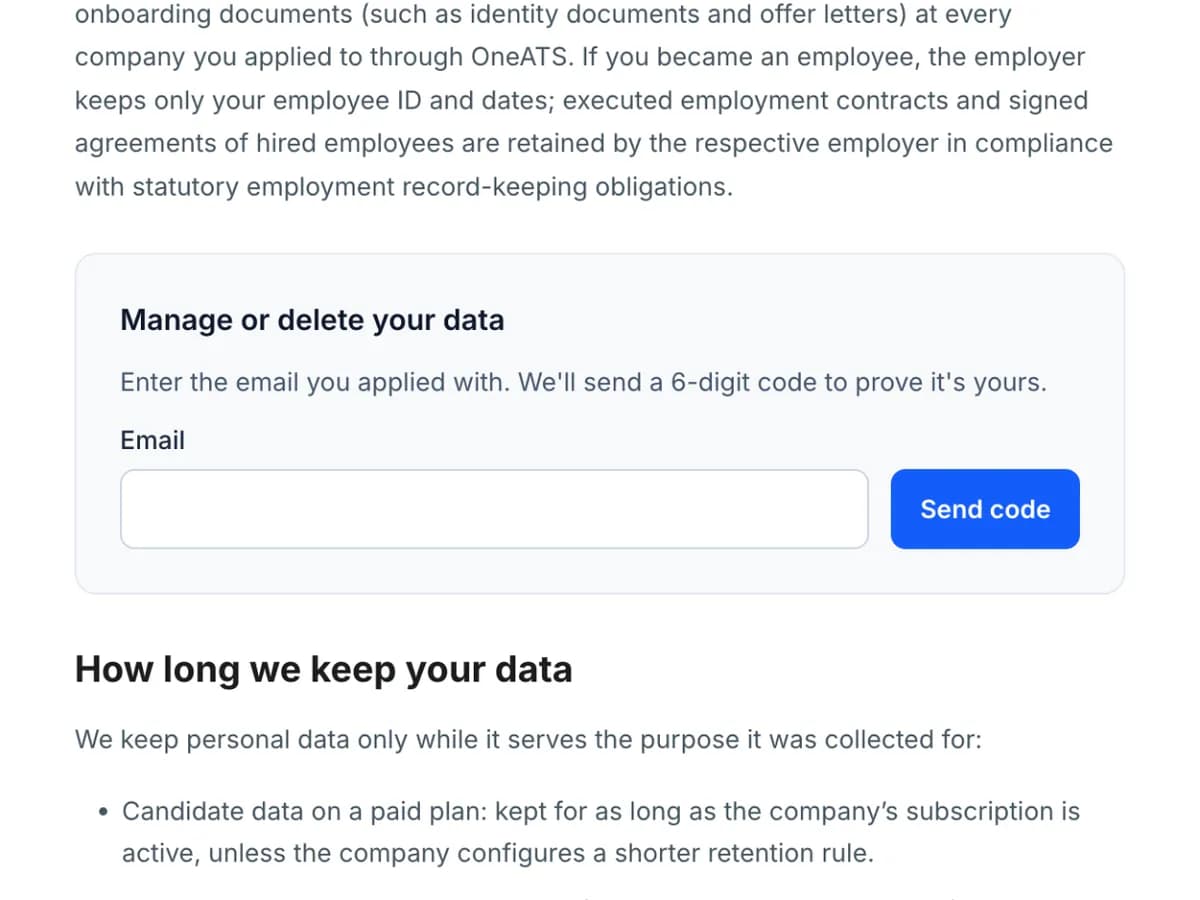
Candidates can manage their data from the OneATS privacy page. After verifying their identity with a 6-digit one-time email code, they can request a copy of their data, ask for corrections, or trigger immediate deletion across all companies.
- Email verification code for secure identity confirmation
- Request data access archive or profile corrections
- Immediate self-service deletion option
How it works
How does candidate experience work in OneATS?
- 01
Apply
Candidate submits an application in minutes on desktop or mobile without creating an account.
- 02
Receipt
An instant confirmation arrives with a secure link to their live application status page.
- 03
Under review
The candidate receives an update that their CV is being reviewed, and the status page shows In review.
- 04
Interview & decision
Candidates pick interview slots, view meeting details, and receive clear updates through to offer or rejection.
FAQ
Frequently asked questions
Do candidates need to create an account or remember a password?
No. Candidates access their personal status page, self-scheduling, and document uploads using secure links sent to their email. There are no passwords or logins required.
Can we customize the automated candidate emails?
Yes. In Settings, you can configure the review email delay under Email inbound → Automated candidate communications, and customize interview invites and rejection messages under Settings → Templates.
When does the status change to In review?
The candidate status page moves to In review when the automated 'under review' email is delivered (or immediately if you manually advance the candidate in the hiring board).
Can candidates delete their data?
Yes. From the OneATS privacy policy page (/legal/privacy#manage-my-data), candidates can enter their email, verify with a 6-digit one-time code, and choose to immediately delete their recruitment data.
Related features
Careers site & widget
Build a branded careers page from ready-made sections, and embed your open jobs on your own website.Explore careers site & widget →Application forms
Customizable job application forms with screening & knockout questions.Explore application forms →Hiring pipeline
Candidate tracking software with custom pipeline stages, resume parsing, speed review and talent pools.Explore hiring pipeline →Interview scheduling
Real calendar sync, free/busy, candidate self-scheduling, meeting links, reminders and scorecards.Explore interview scheduling →
Comparing recruitment solutions?
See how OneATS compares with other tools, or browse free hiring resources for your team:
Start hiring better today
Free plan available. No credit card required. Set up in minutes.