
Interview panels without user accounts or login friction
Invite department managers, executives and external evaluators by email. They review resumes beside scorecards, attend interviews, and submit ratings—no login required.
Last updated · Maintained by the OneATS product team
- Directory & Invites
- Format Options
- Notifications
- Evaluation Room
No login or password needed
Guest interviewers accept invites, view candidates, and submit feedback via secure one-click links.
Independent scorecards
Guest evaluators submit confidential ratings beside the resume without seeing other panel feedback.
Together or separately
Schedule multi-interviewer rounds together in a shared meeting or separately in consecutive slots.
Directory & Invites
Do interviewers need a OneATS account?
No. Guest interviewers never need an account or password. Add guest interviewers on the fly while scheduling an interview, or maintain a saved company directory of recurring panel members. Guest evaluators never consume paid seat licenses, making it easy to bring in senior executives, cross-functional partners, or external domain experts.
- Invite any evaluator with name and email address
- Saved company interviewer directory for repeat panels
- Zero paid seat licenses consumed
Format Options
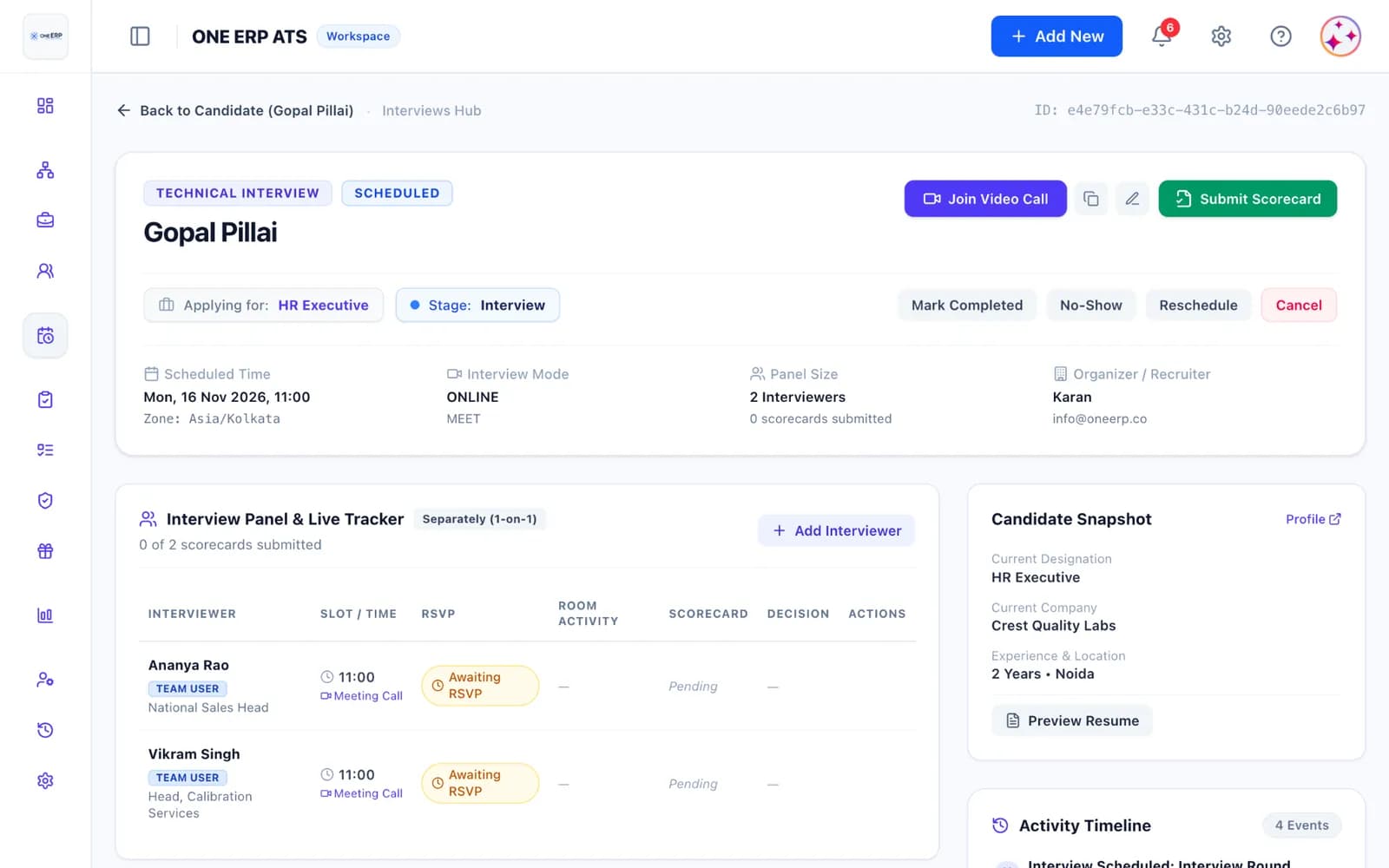
Interview together in one session or separately in slots
When scheduling multiple interviewers for a round, choose whether they meet the candidate together in a single shared video call or separately in back-to-back individual sessions. Separate interviews show as one clean entry per candidate in your Interviews hub, keeping your pipeline organized.
- One shared meeting call or consecutive individual slots
- Dedicated start times and calendar invites per slot
- One grouped candidate row in the Interviews hub
Notifications
How do guest interviewers receive interview details?
Guest interviewers receive an email invitation with meeting details and calendar files. Automated reminder emails sent 24 hours and 1 hour before the interview include a direct 'Start interview' button that takes them straight into the interview room.
- Email invites with integrated calendar attachments
- Automated 24-hour and 1-hour pre-interview reminders
- Direct 'Start interview' and 'View details' buttons
Evaluation Room
The interview room: resume viewer beside private scorecard
The distraction-free interview room displays the candidate's PDF or Word resume on the left side and the structured scorecard on the right. Evaluators can review qualifications, record competency ratings, and take notes simultaneously without switching tabs.
- Side-by-side resume preview and scorecard form
- Supports PDF and Word (.docx) resumes
- Other panel ratings and internal HR notes remain hidden
Decisions
Recommendations, notes, and handling split decisions
Interviewers record Select or Reject recommendations with structured comments. In separate rounds where panel opinions differ, HR reviews all individual evaluations and confirms the final pipeline move.
- Clear Select or Reject recommendation choices
- Split decisions in separate rounds are resolved by HR
- Evaluations and scorecards save directly to the candidate profile
Coordination
HR tracker: monitor progress and enter feedback on behalf
Recruiters and hiring managers see who accepted invites, who joined the room, and whose feedback is pending. If an interviewer shares feedback over a call, HR can enter ratings on their behalf with an audit note.
- Real-time tracking of invite, attendance, and feedback
- Automated feedback chasers after interview completion
- HR can enter feedback on behalf of interviewers if needed
Security & Privacy
Secure links and strict role privacy controls
Guest interviewers access only the specific candidate's resume and assigned scorecard. Secure links expire automatically and can be resent or revoked by HR at any time.
- Single-candidate scoped access with expiring tokens
- Guest interviewers cannot browse other candidates or jobs
- Resend links or update email addresses with one click
How it works
How does guest interviewers work in OneATS?
- 01
Add interviewers
Enter the interviewer's name and email during scheduling, or choose from your saved list.
- 02
Schedule the round
Pick the date, duration, and choose whether panel rounds occur together or separately.
- 03
They interview
The interviewer joins via the meeting link and opens the interview room beside the resume.
- 04
Decide & debrief
They submit their recommendation and ratings; HR sees the decision on the candidate profile.
FAQ
Frequently asked questions
Do guest interviewers need a OneATS account?
No. Guest interviewers are invited by email and access their interview room and scorecards through secure, unique links. They do not need a login, password, or paid user seat.
What candidate information can guest interviewers see?
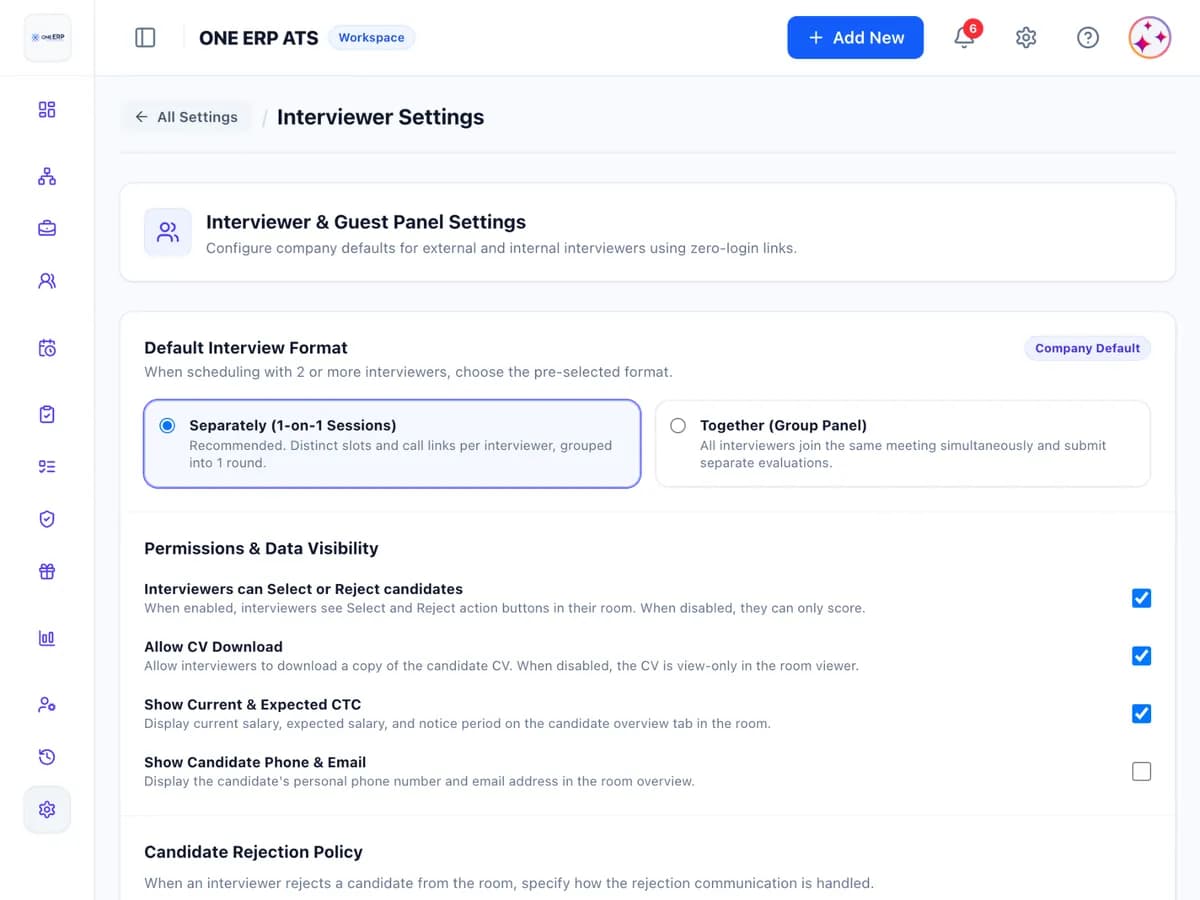
By default, guest interviewers see the candidate's name, resume, job title, screening question answers, match score, CTC and notice period, alongside their own assigned scorecard. The candidate's email, phone number and address are hidden by default. They cannot browse your wider candidate database, see internal HR notes, or view scorecards submitted by other interviewers.
Can guest interviewers reject a candidate directly?
In single or together rounds, their recommendation can move the candidate forward or mark them rejected according to your pipeline rules. In separate rounds with split opinions, HR reviews both assessments and makes the final decision.
Does this work with Microsoft Teams, Google Meet, and Zoom?
Yes. Meeting links are included in the email invitations and inside the interview room. If using Microsoft Teams, interviewers joining from outside your Microsoft 365 organisation may wait in the Teams meeting lobby until admitted by an organiser.
Related features
Interview scheduling
Real calendar sync, free/busy, candidate self-scheduling, meeting links, reminders and scorecards.Explore interview scheduling →Scorecards
Structured interview evaluation forms with competency ratings, independent feedback locking, and actionable hiring manager rollups.Explore scorecards →Team collaboration
Roles and permissions, team assignment, notes, notifications and shared feedback.Explore team collaboration →Hiring pipeline
Candidate tracking software with custom pipeline stages, resume parsing, speed review and talent pools.Explore hiring pipeline →
Comparing recruitment solutions?
See how OneATS compares with other tools, or browse free hiring resources for your team:
Start hiring better today
Free plan available. No credit card required. Set up in minutes.