Add interviewers without an ATS account
Updated
Many interviewers—such as department leads, senior engineers, or outside subject-matter experts—only evaluate candidates occasionally and do not need a full OneATS seat. You can invite them to interviews as guest interviewers using just their name and email.
Adding guest interviewers
- Saved list: In Team → Interviewers, select Add Interviewer and enter their full name, email address, and optional title. You can pick them from the dropdown on any interview.
- While scheduling: When scheduling any interview round, type a new name and email directly in the interviewers field to invite them on the spot.
What the guest interviewer receives
- Calendar invite: An email invitation with an attached calendar file (.ics). They can accept, decline, or propose another time directly from the email with no login.
- Automated reminders: Sent 24 hours and 1 hour before the start time, featuring direct buttons to Start interview (launching the video call) and View interview details.
- Interview room (/i/...): A dedicated, zero-login page showing the candidate's CV on one side with zoom, full-screen, and download controls, alongside interview questions, notes, and their own private scorecard with autosave.
Interviewer privacy and candidate safeguards
- Independent feedback: Interviewers never see other panelists' scorecards or feedback from previous rounds, eliminating cognitive bias.
- Candidate details protected: Candidate email, phone number, and physical address are hidden by default.
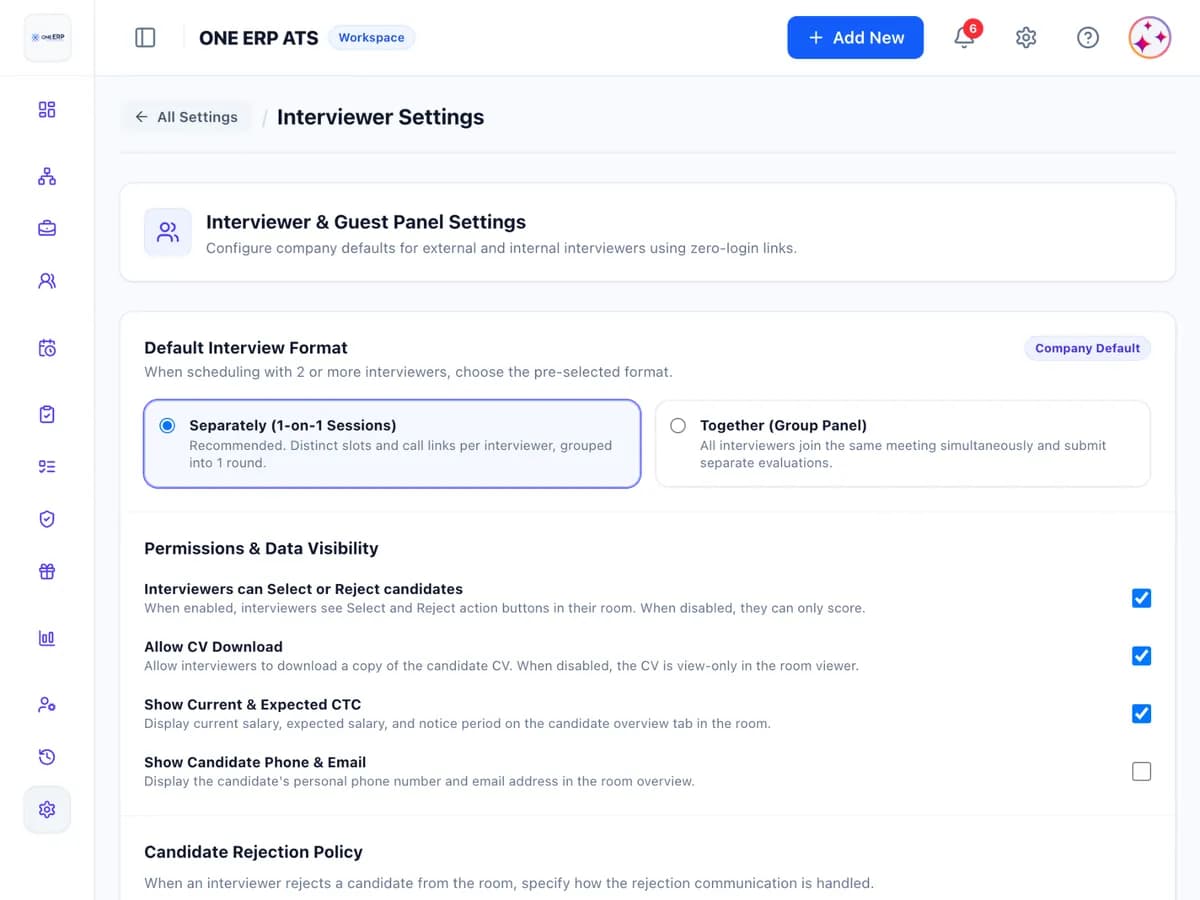
- Configurable settings: In Settings → Interviews → Interviewers, admins can toggle CV downloads, require a 6-digit email verification code on first access, or allow panelists to record Select or Reject recommendations.
HR live tracking and acting on behalf
In the Interview Panel & Live Tracker, HR coordinates every stage: see who accepted, joined, and submitted scorecards. HR can resend access links, send real-time reminders, or record a scorecard on the interviewer's behalf (marked as 'Entered by HR'). Each interviewer link stays active until 7 days after the interview or submission, and deactivates immediately if the interview is cancelled.
Was this article helpful?
Didn’t find what you needed?
Contact support and we’ll help you out.