
Salary negotiation, breakup and offer preview
Updated
OneATS guides you through five structured steps when creating an offer: Details, Negotiation, Breakup & Terms, Template, and Preview & Send.
Step 1: Offer details
Set job title, department, reporting manager, joining date, and select an approval route if your company uses hiring approval rules.
Step 2: Salary negotiation log
- Record current CTC, candidate expectation, and company budget range.
- OneATS calculates the hike percentage automatically as you type.
- Log each negotiation round with date, proposed CTC, and recruiter notes.
- Click 'Use in offer' on the agreed round to prefill the final compensation figures.
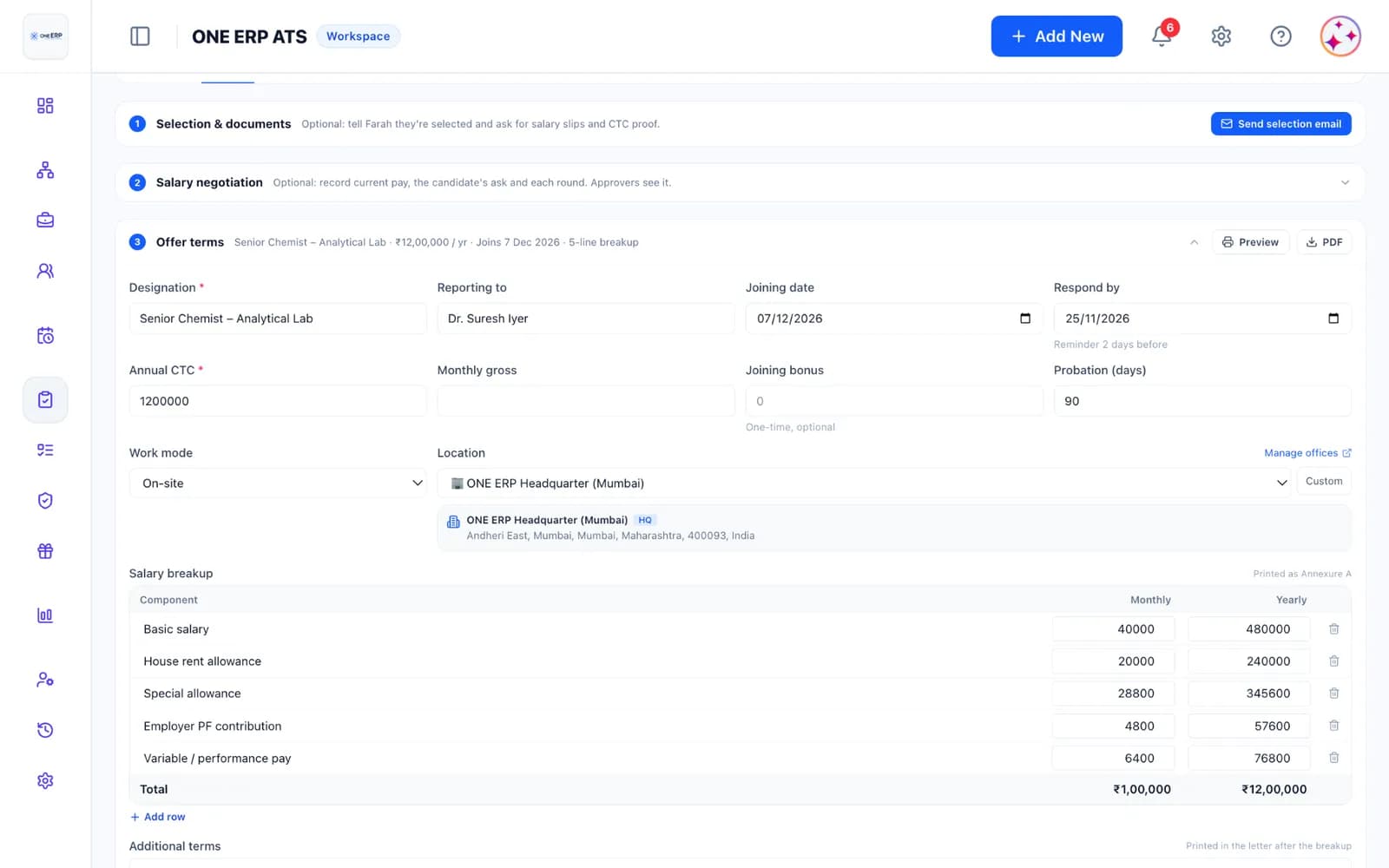
Step 3: Salary breakup and terms
- Enter monthly and annual figures for Basic, HRA, Special Allowance, PF, and statutory bonuses.
- The built-in breakup validator sums all components and displays a real-time warning if the monthly components do not equal the annual CTC divided by 12.
- Add extra clauses or bespoke terms (e.g. probation duration, performance bonus schedules, notice period buyouts).
Step 4 & 5: Template and live preview
- Select your company offer letter template. Placeholders for CTC, breakup table (Annexure A), joining date, and signatory are merged automatically.
- The Preview step renders the exact PDF that the candidate will view and e-sign.
- Download or print the draft if offline sign-off is required.
- If the offer requires approval, Submit for Approval routes the draft to designated approvers before the Send button is unlocked.
Copy our free Salary breakup template (Annexure A) or learn more about approval workflows in Offer approval and budget bands.
Was this article helpful?
Didn’t find what you needed?
Contact support and we’ll help you out.