A job requisition is the request to open a role. The approval process decides who has to agree before that role is advertised. Done well, it stops unbudgeted hiring without slowing down the roles that were always going to be approved. Done badly, it becomes an email thread that nobody owns, and the role sits on hold for weeks.
This guide walks through how to decide what needs approval, who should approve it, and how to keep the process quick. There's a free hiring approval matrix template at the end that you can copy into your own policy.
Why requisition approvals stall hiring
Most slow approvals have the same causes:
- No rule for what needs approval, so every role goes to everyone, including backfills that were already in the budget.
- Approvers who don't know they're the approver. The request sits in a shared inbox or a chat thread.
- No order. Finance waits for the department head, who waits for finance.
- No deadline. Nothing tells anyone that a request has been waiting five days.
- Approving means logging in to another tool, so busy approvers put it off.
Each of these has a simple fix, and none of them needs a bigger approval chain.
Decide what needs approval
Start with the cases that actually carry risk. For most growing companies, that's three situations:
| Trigger | Why it needs a second look | Typical approver |
|---|---|---|
| New headcount (not a backfill) | It adds permanent cost to the budget | Department head, then finance |
| Salary range above the budgeted band | It changes the cost of the role | Finance or HR head |
| Roles in specific departments | Some teams have tighter budgets or hiring freezes | That department's head |
A backfill at the same level and salary usually doesn't need anyone beyond the hiring manager. Writing that down removes a large share of the approvals you'd otherwise process.
Choose who approves, and in what order
Keep the chain short. Three steps is a sensible maximum for a requisition. More than that and each approver starts assuming someone else has checked the details.
- 1Hiring manager raises the request with the job title, department, whether it's new headcount, and the salary range.
- 2Department head approves that the role is needed now.
- 3Finance or HR approves the cost, only when the role is new headcount or above the band.
Name a role, not a person, where you can (for example "head of the department the job belongs to"). People change jobs and go on leave; roles don't.
Keep it fast
- Set a response time in your policy, such as two working days per step.
- Let approvers act from email. An approve or reject button in the email removes the need to log in.
- Ask for a reason on rejection, so the hiring manager can fix the request instead of starting again.
- Show the status on the job so recruiters can see who it's waiting on without asking.
Add budget bands at the requisition stage
A budget band is the internal minimum and maximum salary for the role. Agreeing it at the requisition stage pays off later: offers inside the band can go straight out, and only offers above it need another approval. Keep the band internal; it shouldn't appear in the job advert or job feeds.
For the offer side of this, see how to stop offers going out over budget.
Approval matrix template
A matrix puts the rules on one page, so recruiters and managers can see in advance whether a role will need approval. Copy the hiring approval matrix template and adjust the triggers and approvers to your company. If you still collect requests on paper or email, the job requisition form template lists the fields to ask for.
What to put on the requisition
Approvers can only say yes quickly if the request answers their questions up front. Ask for the same fields every time:
| Field | Why the approver needs it |
|---|---|
| Job title and level | Shows where the role sits in the team |
| Department and hiring manager | Decides which department head approves |
| New headcount or backfill (and who is being replaced) | Backfills usually need less approval |
| Salary band (minimum and maximum) | Finance checks it against the budget |
| Target start date | Shows how urgent the request is |
| Reason for the hire | Gives context for new headcount |
| Location and work mode | Affects cost and the candidate pool |
Common mistakes
- Approving the person, not the role. The requisition approves a role and a budget; the candidate is approved later, at the offer stage.
- Re-approving every edit. A typo fix in the job description doesn't need finance. Only changes to the band, headcount or department should restart approval.
- Approvals in chat. A thumbs-up in a group chat isn't a record anyone can find six months later.
- One approver for everything. If the CEO approves every role, the CEO becomes the bottleneck. Delegate below a salary threshold.
Measure how long approvals take
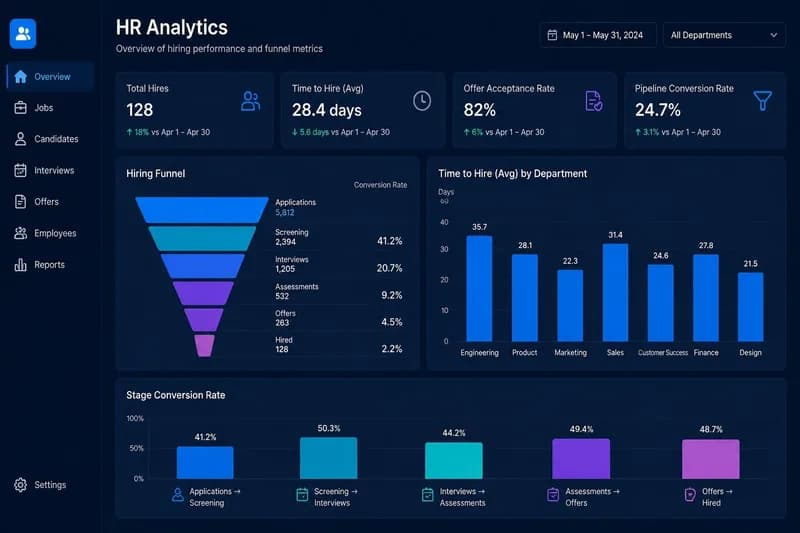
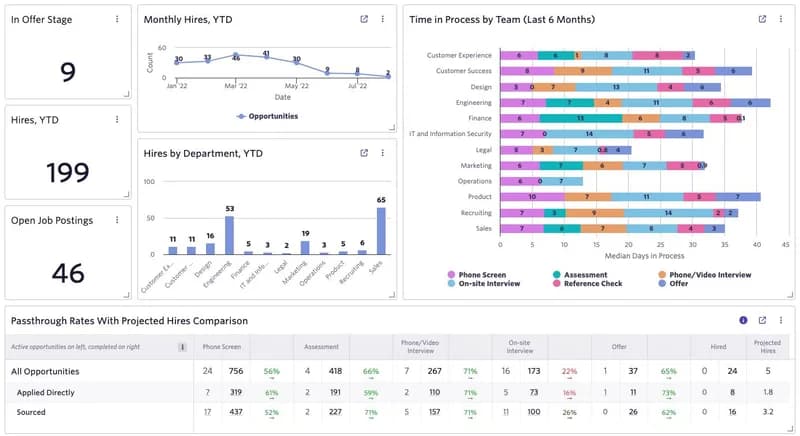
Track the time from request to final approval, and which step it waits on longest. If one step regularly takes a week, that's the step to fix: a clearer rule, a different approver, or a reminder. Report it alongside time to hire, because approval time is part of it even though the candidate never sees it.
Doing this in OneATS
In OneATS, admins set approval rules for new jobs and offers in Settings → Approval rules. A rule can trigger on salary above an amount, specific departments, new headcount or a joining bonus, and each rule has steps in order: a named person, the department head or a company admin.
- A job that matches a rule stays on hold until every step approves. The job page shows who is reviewing it.
- Approvers get an email with Approve and Reject buttons that work without logging in. The links work once per step and expire after 7 days.
- A rejection comes back with the approver's comment.
- "My approvals" in the portal lists everything waiting for you, with a count in the sidebar.
Editorial Integrity & Sourcing: All articles are authored and verified by our recruitment operations and engineering team, vetted against primary regulatory documentation (such as India's DPDP Act, 2023 and EPFO/ESIC guidelines) and direct job portal APIs before publication.

Pankaj Mukadam is the Head of Product at OneATS. With deep expertise in talent acquisition infrastructure and recruitment operations, he leads product architecture and hiring workflows at OneATS, helping companies streamline recruitment across India and globally.